
With the 1st-generation Enphase IQ EV Charger, you can now control your entire EV charging experience from a single screen on the Enphase App. The app gives you the flexibility to customize how and when your car charges. The IQ EV Charger is designed with homeowners in mind. Whether you want to charge only from solar or set a preferred time, you can create a charging plan for your unique lifestyle and goals.
In this guide, we’ll walk you through how to use the Charging Modes in the Enphase App and additionally, the benefits of combining an IQ EV Charger with an Enphase Energy System.
How to use Charging Modes for your EV
The Enphase App makes it easy to set up EV charging the way you want it. Once your IQ EV Charger is commissioned, you can access Charging Modes within the Enphase App to get the most out of every charge.
To access Charging Modes, open the Enphase App and follow this path:
Menu > Settings > EV Charger > Charging Modes
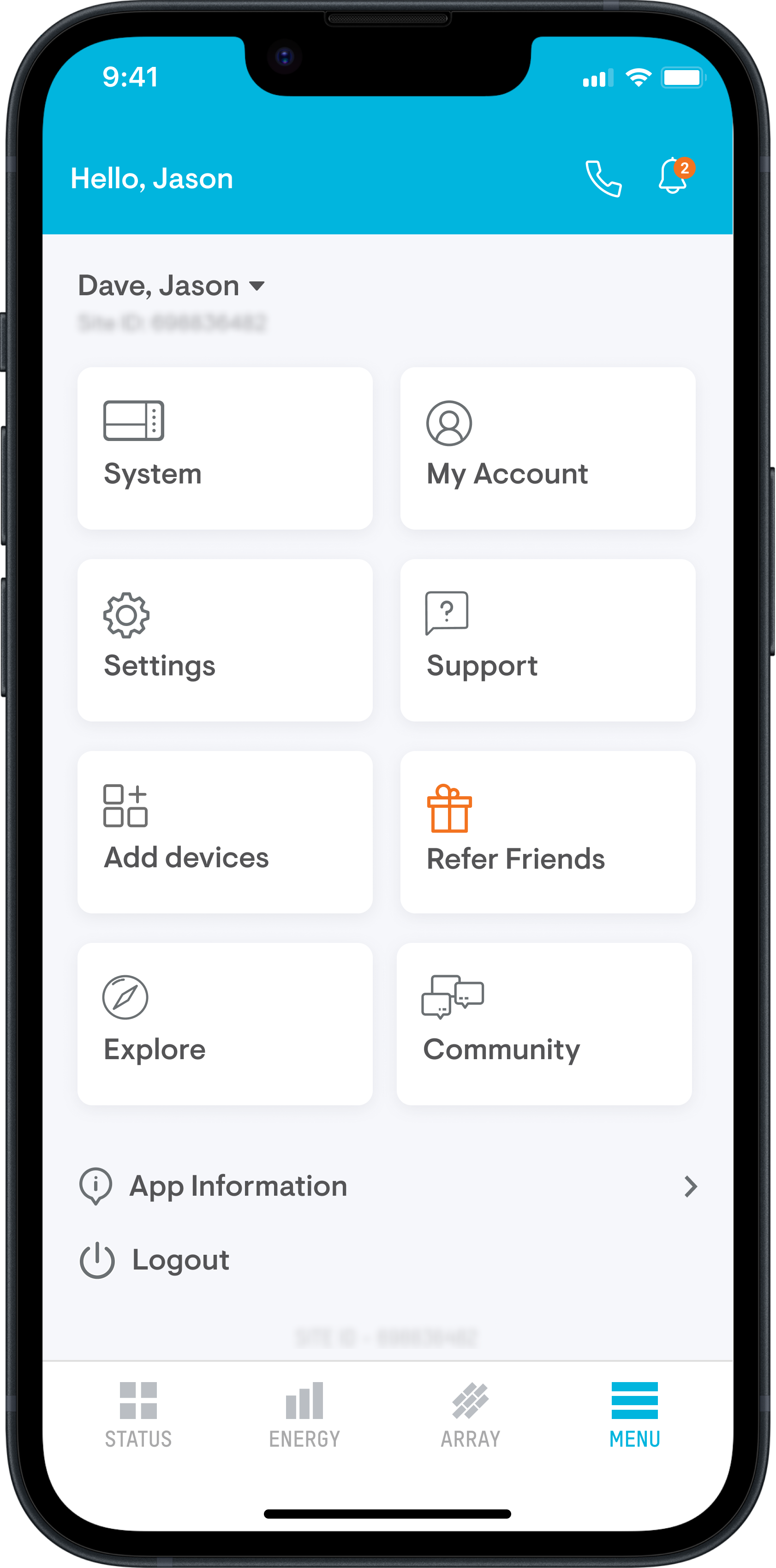
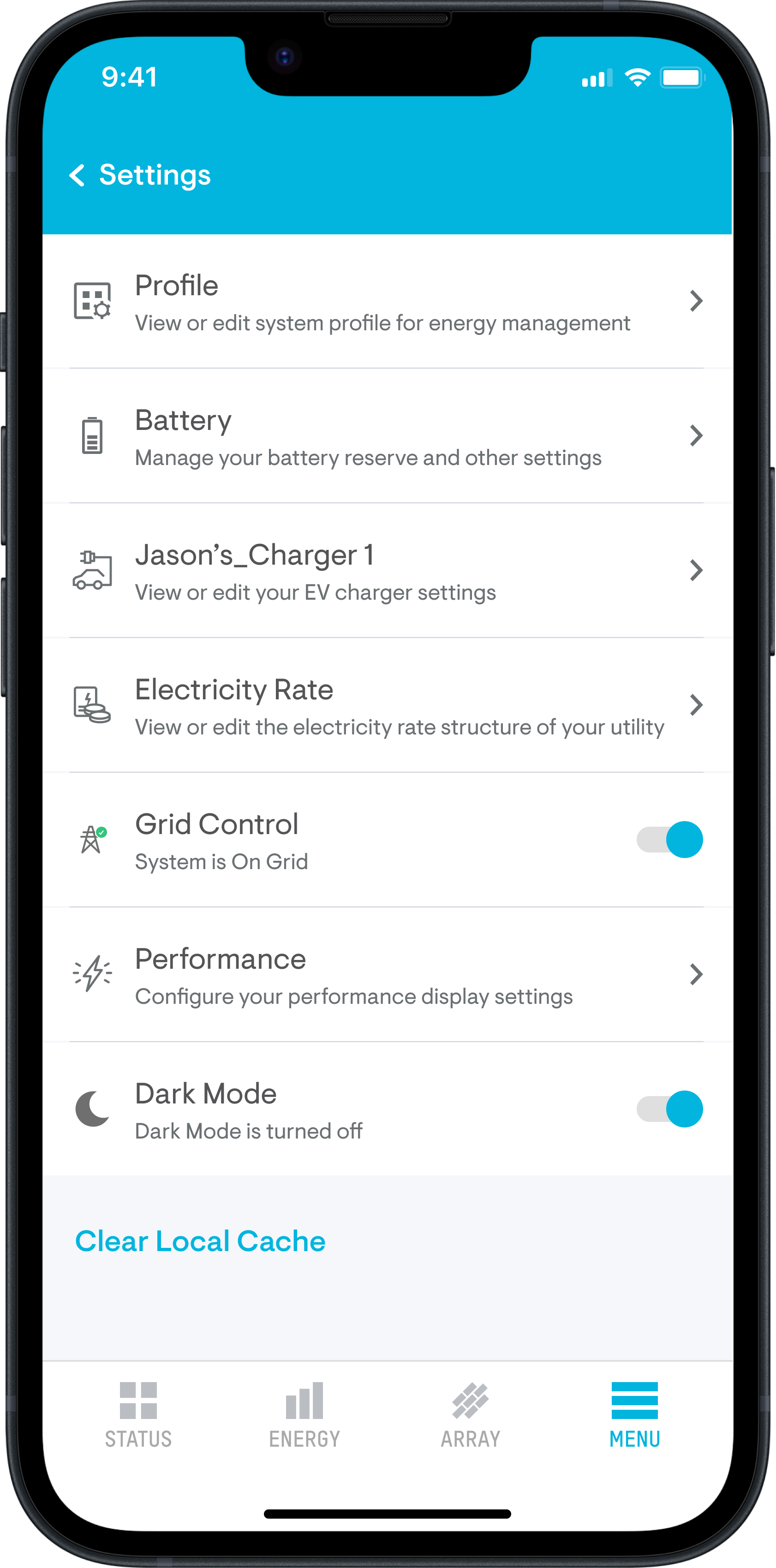
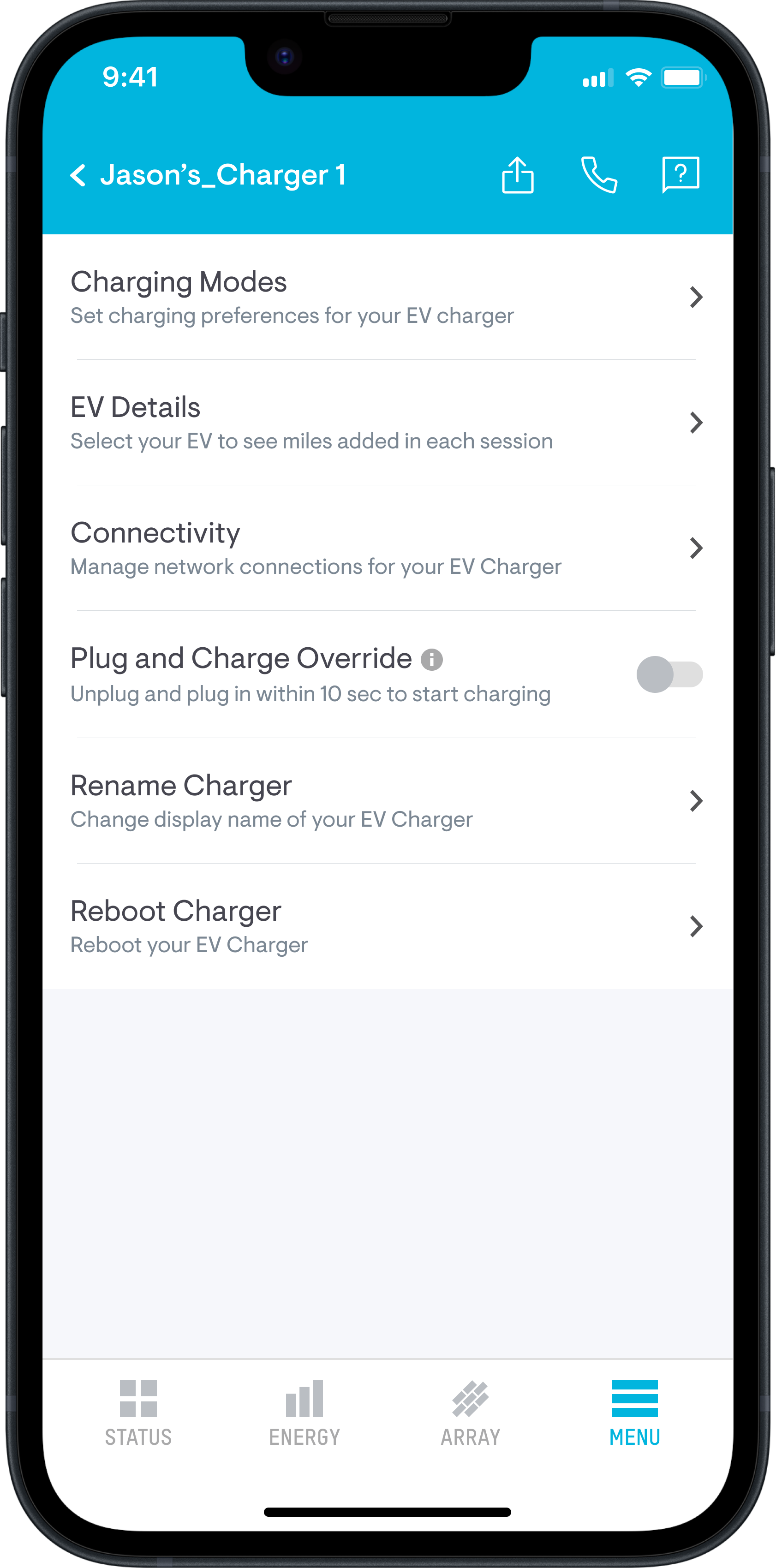
Charging Modes in the Enphase App
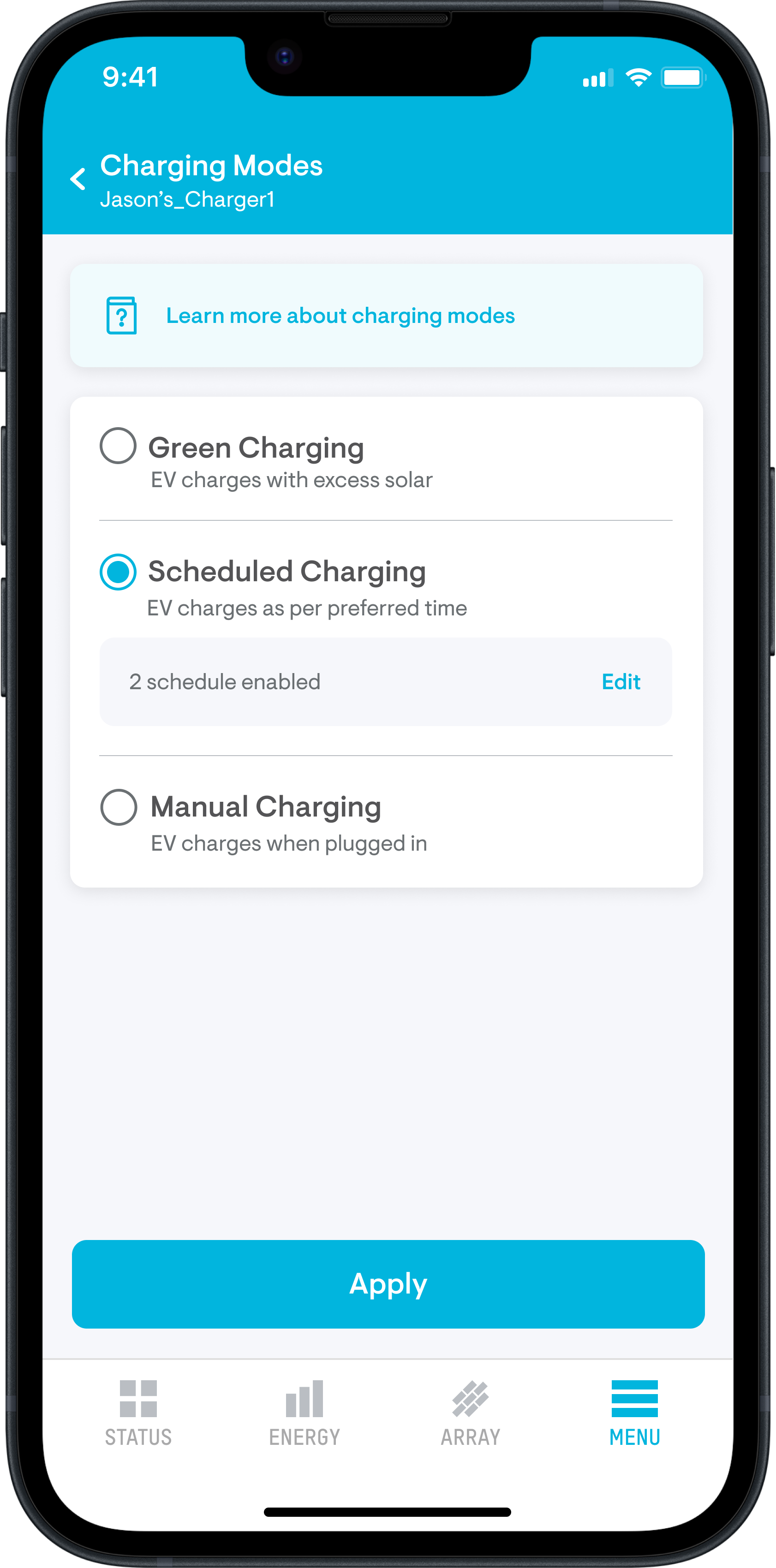
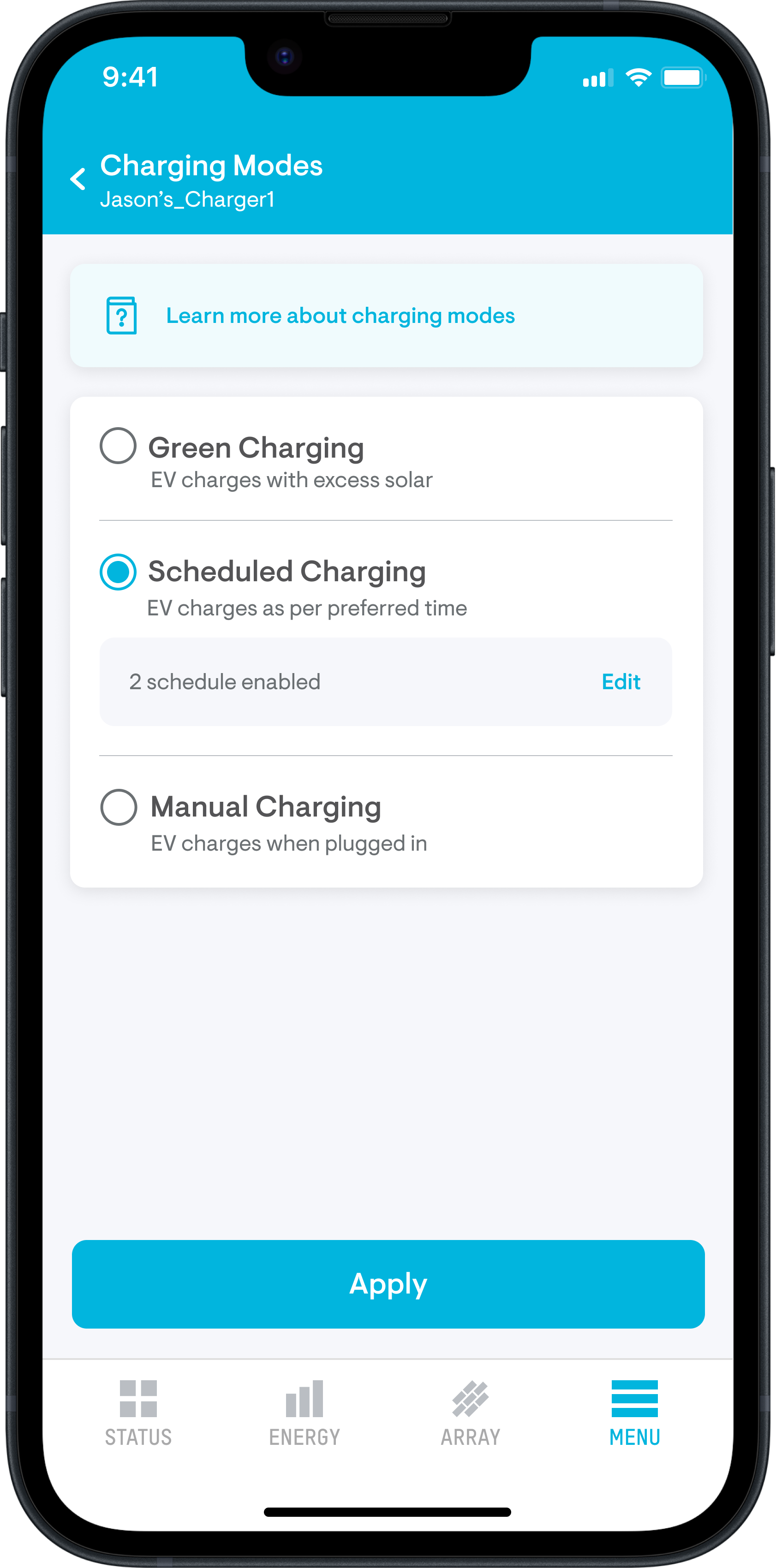
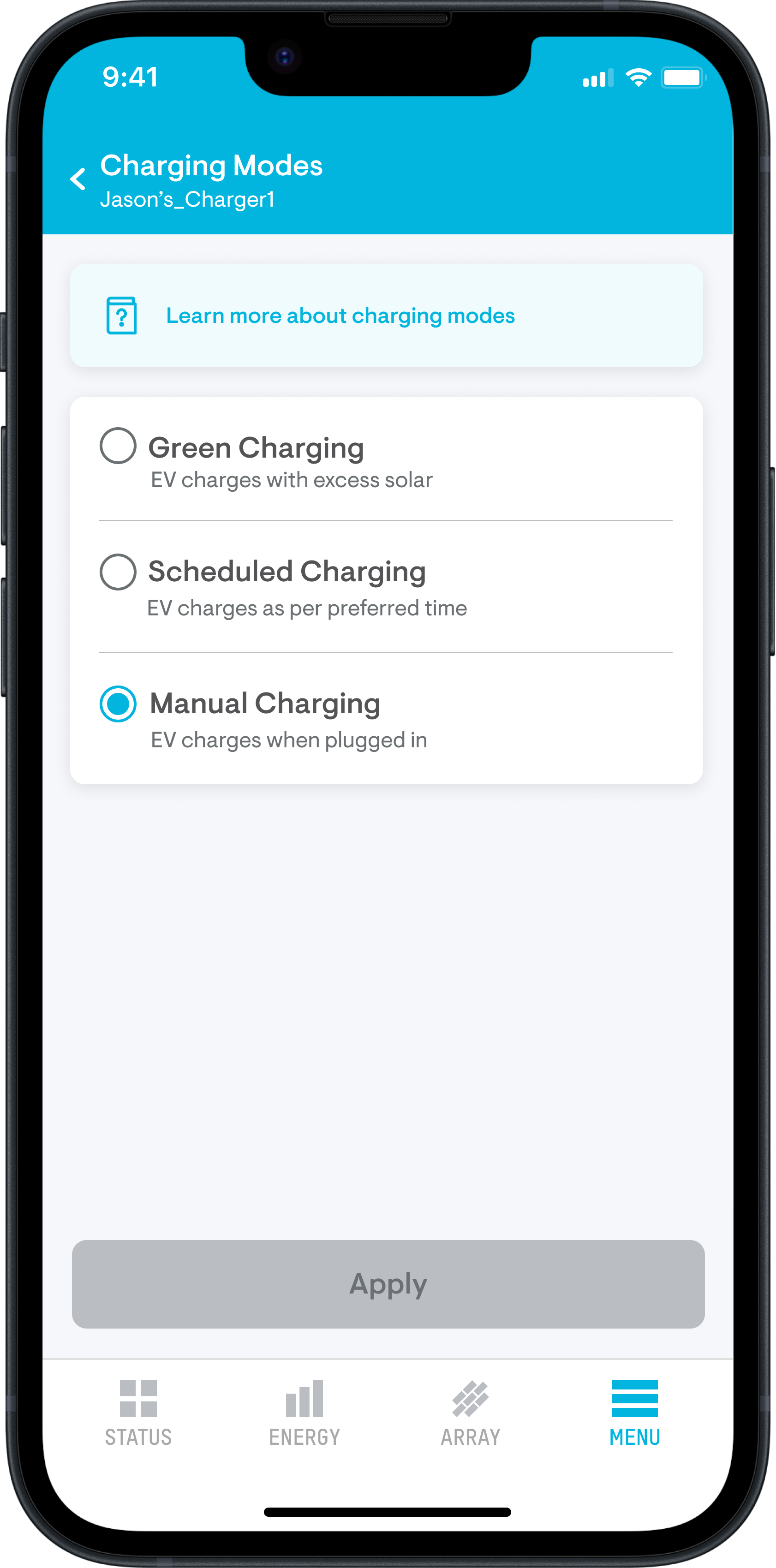
Charging Modes give you three ways to decide how your EV charges:
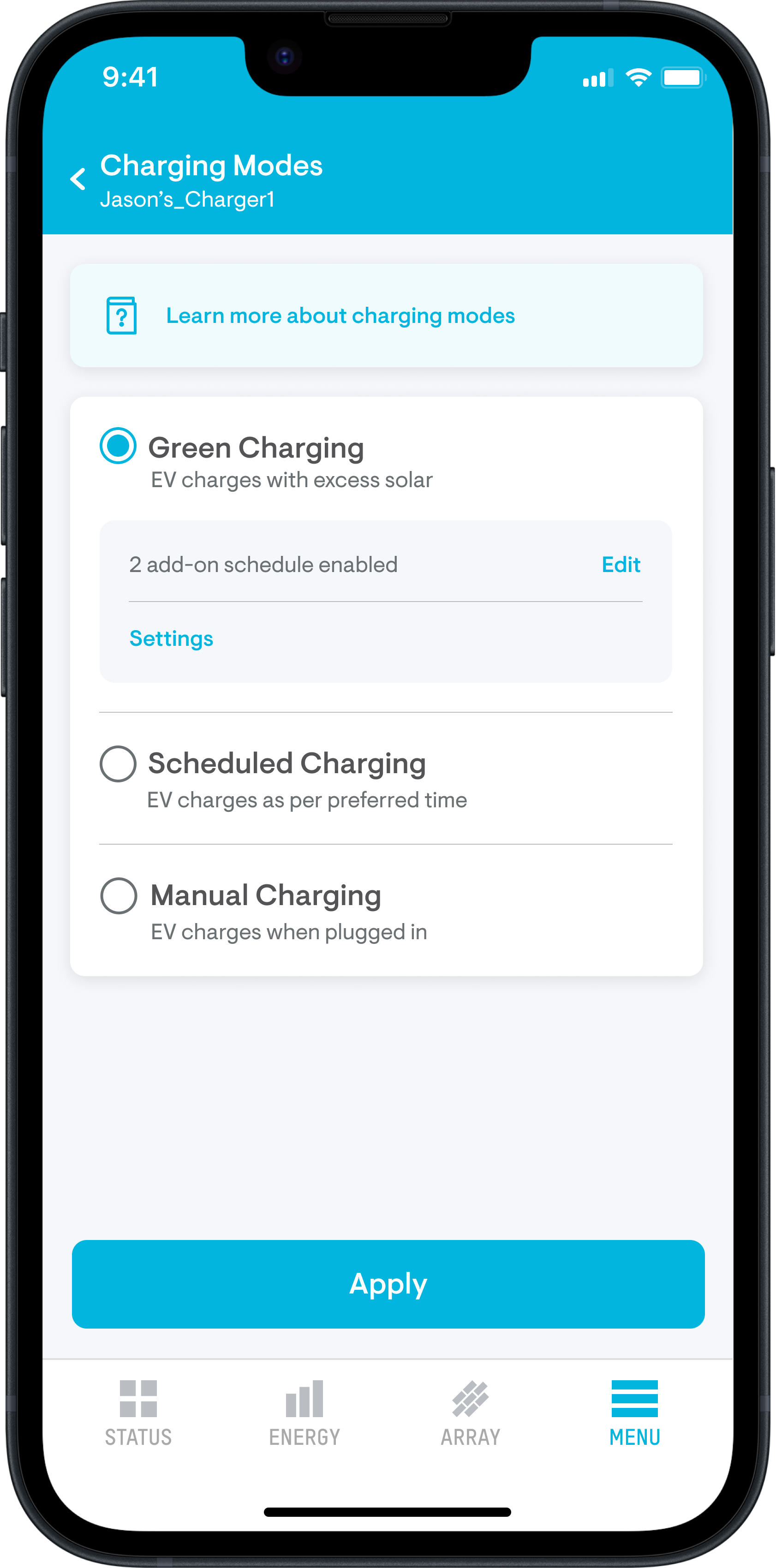
- Green Charging: In this mode, your EV is charged using the extra solar power produced by the Enphase Energy System after your household needs are met. This mode helps you rely less on the grid while maximizing the use of solar energy.
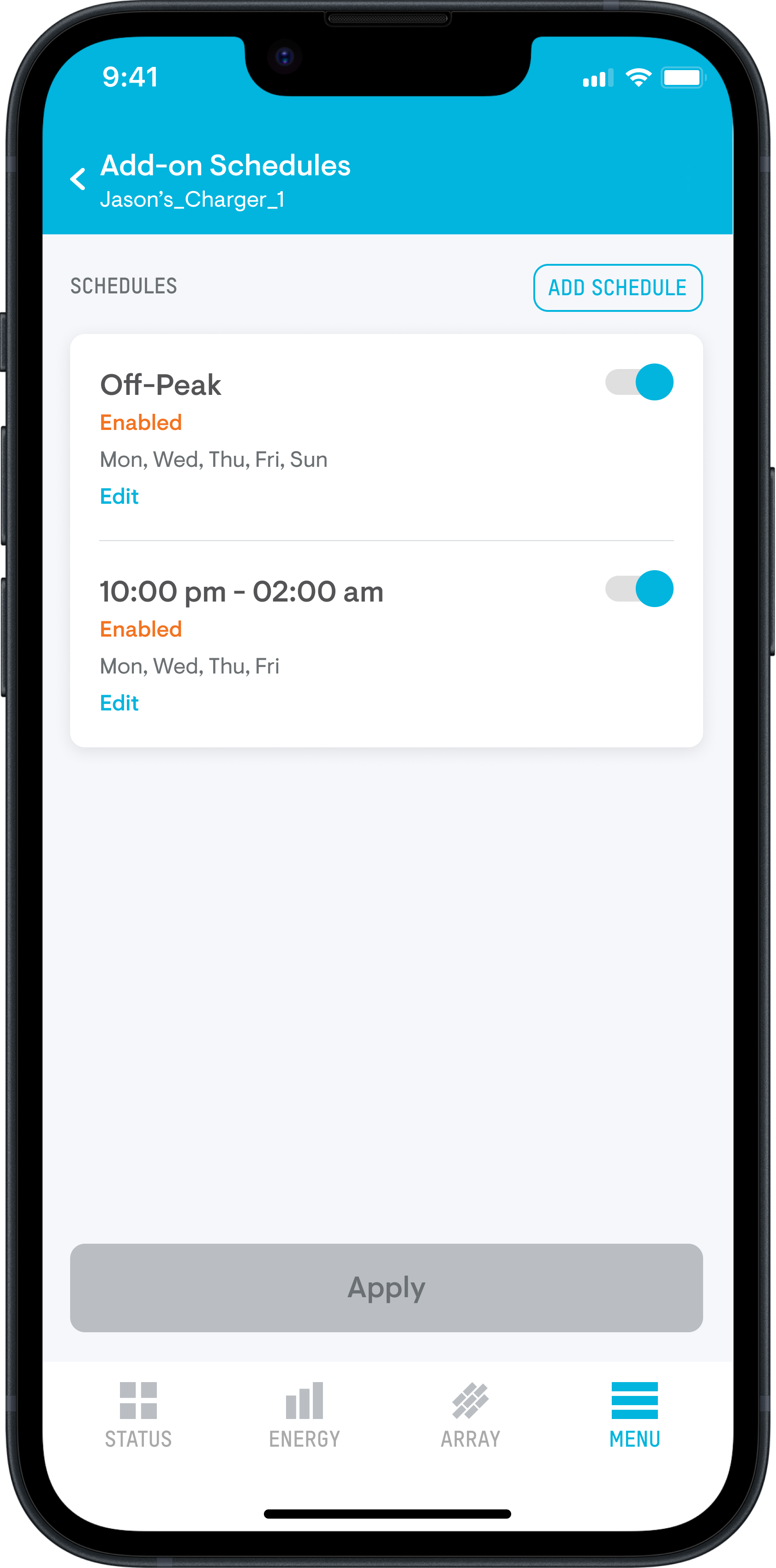
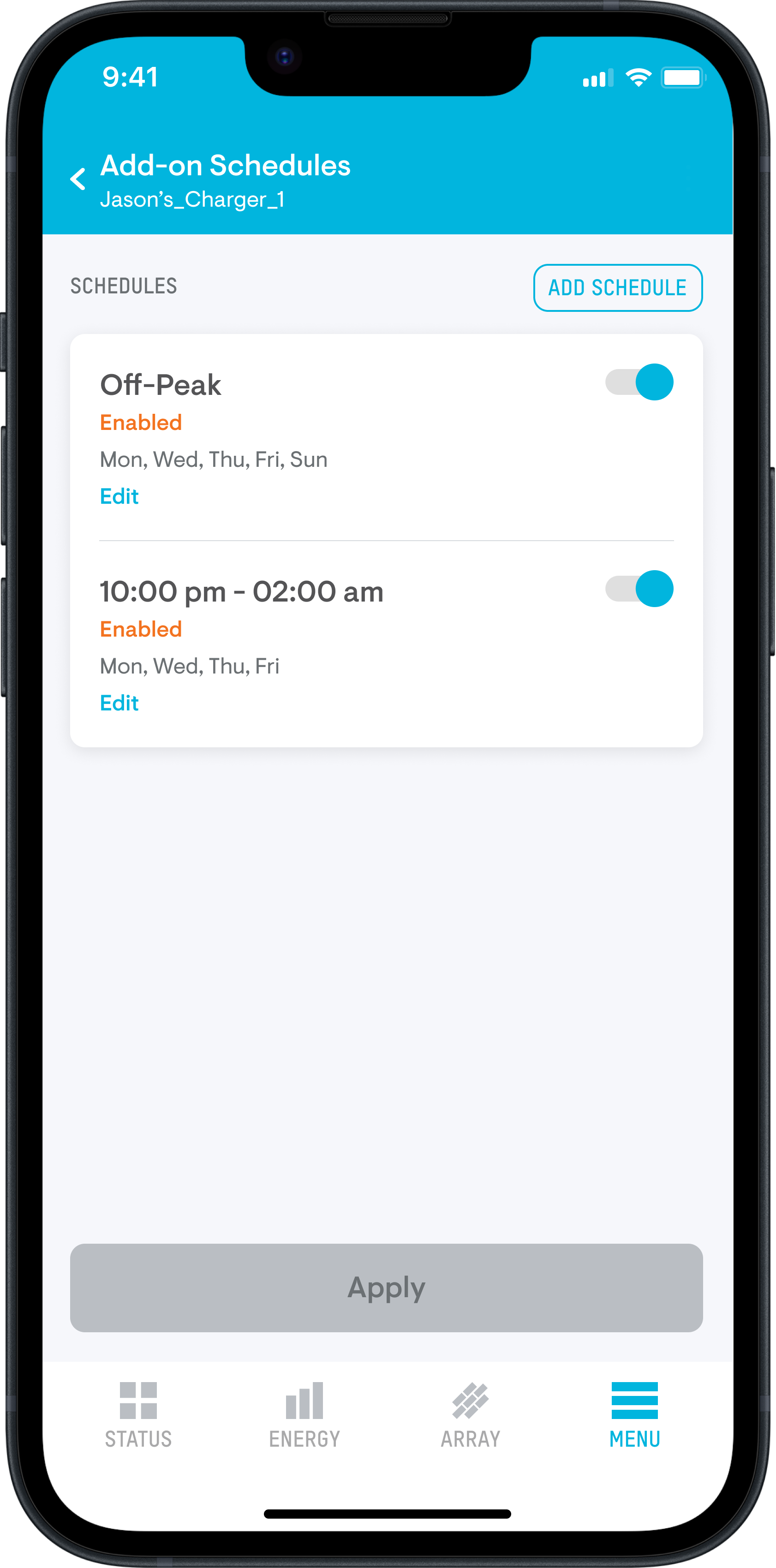
- Scheduled Charging: This mode lets you pick the best time to charge your EV. You can select the days and the time slots to fit your needs or based on your utility tariff plan. If your utility has time-of-use (ToU) based utility rate plan, you can set an off-peak charging schedule to save more. You can set up to 15 unique schedules across various time slots and days and set reminders to plug in the EV before the schedule begins.
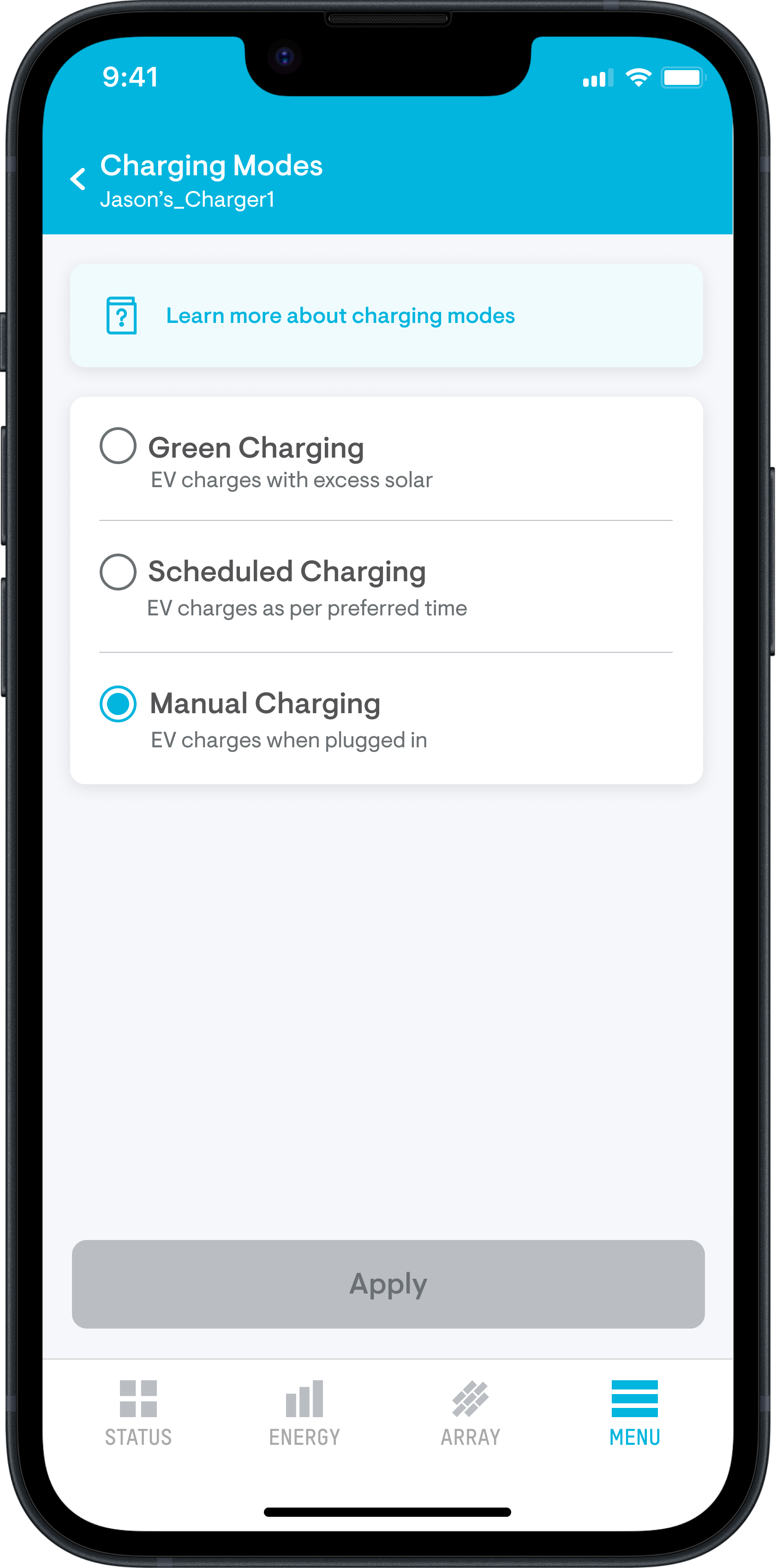
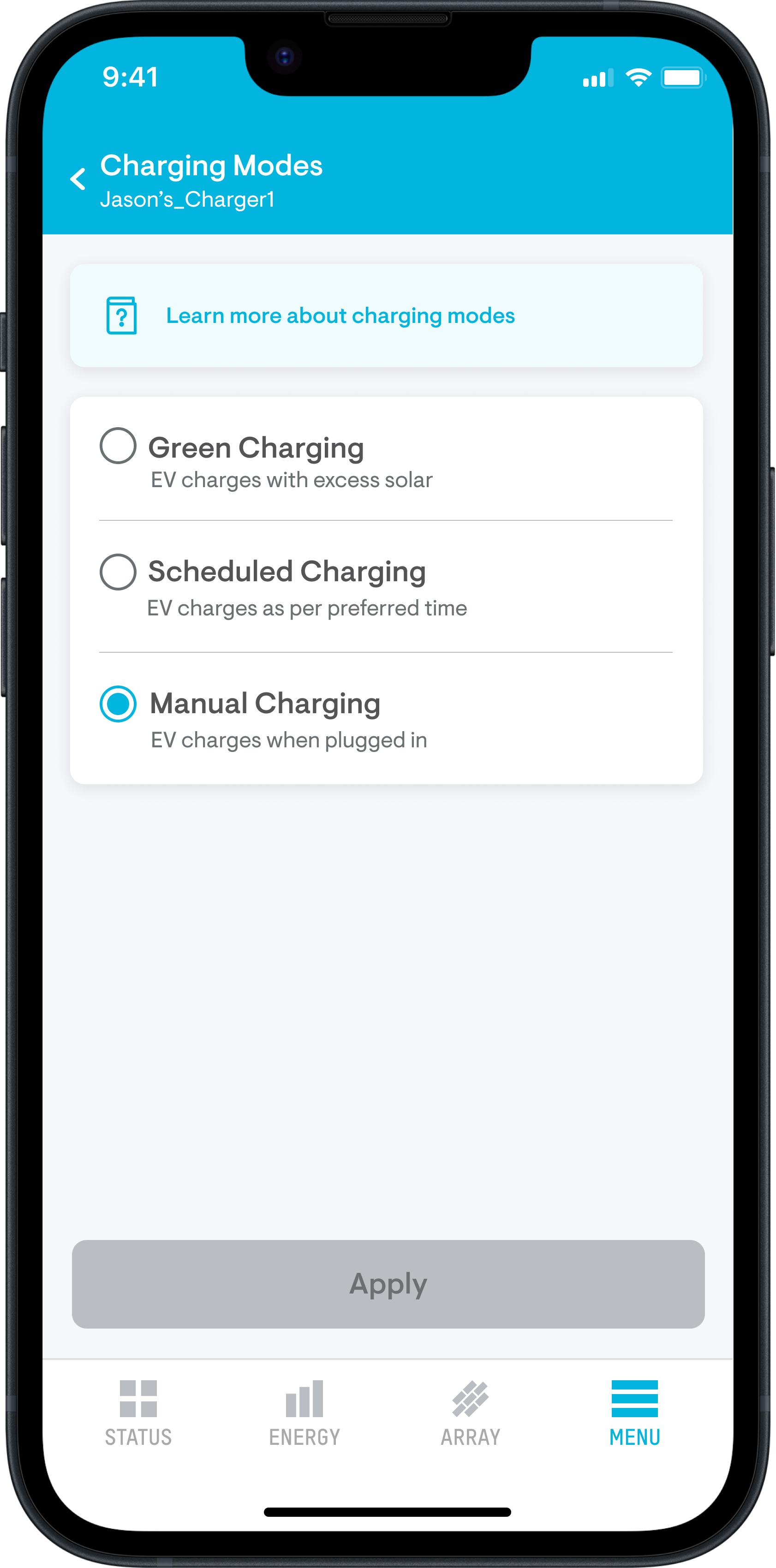
- Manual Charging: Here, your EV is charged at 100% power level whenever plugged in with whichever energy source is available. This option is perfect for when you want to charge as soon as you plug in and without waiting for pre-set schedules.
Using the IQ EV Charger on its own
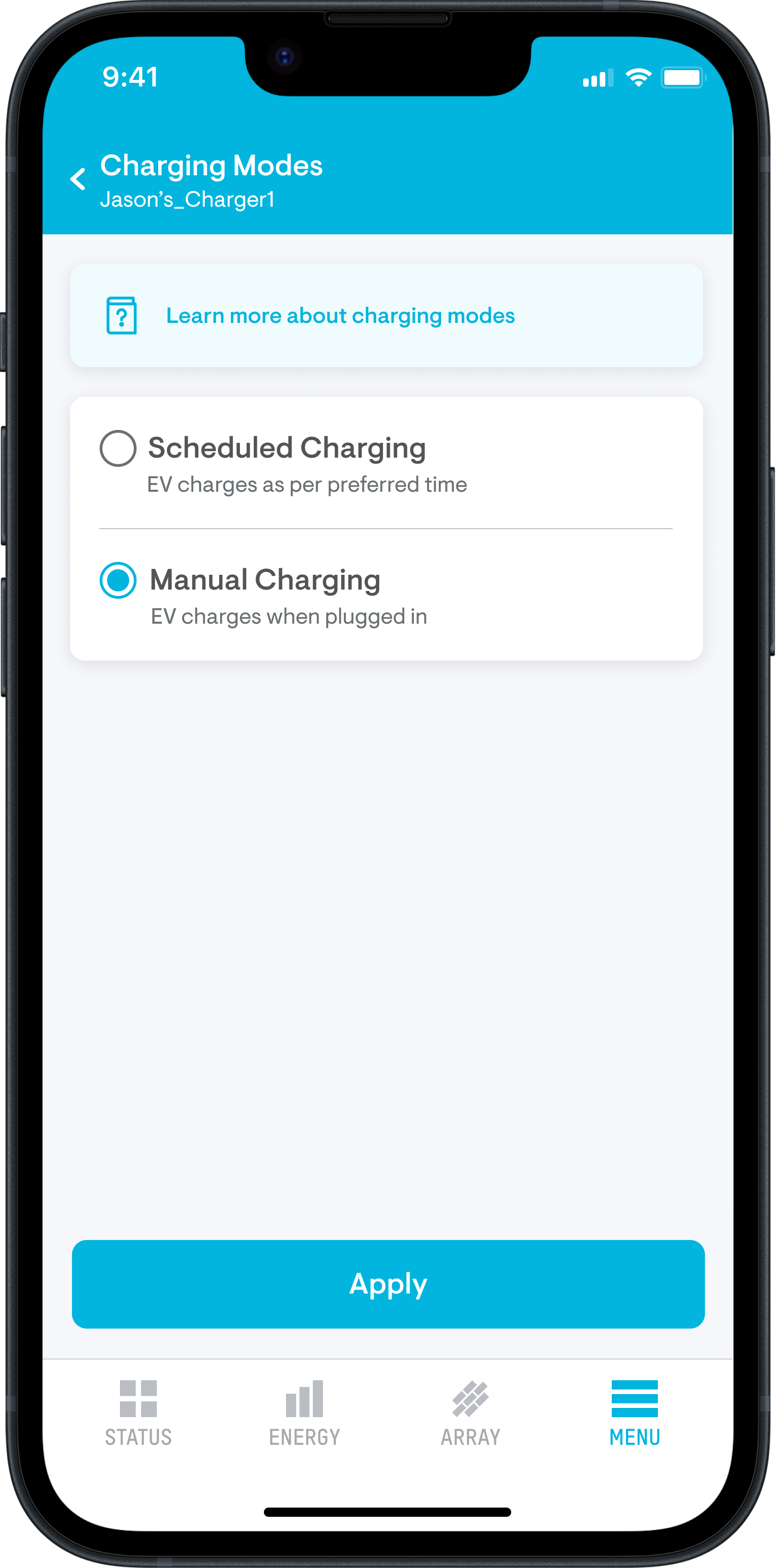
For all homes where the IQ EV Charger isn’t paired with Enphase solar or battery systems, there are two options for charging modes:
1. Scheduled Charging: The EV charges at 100% power during the scheduled time, using the grid.
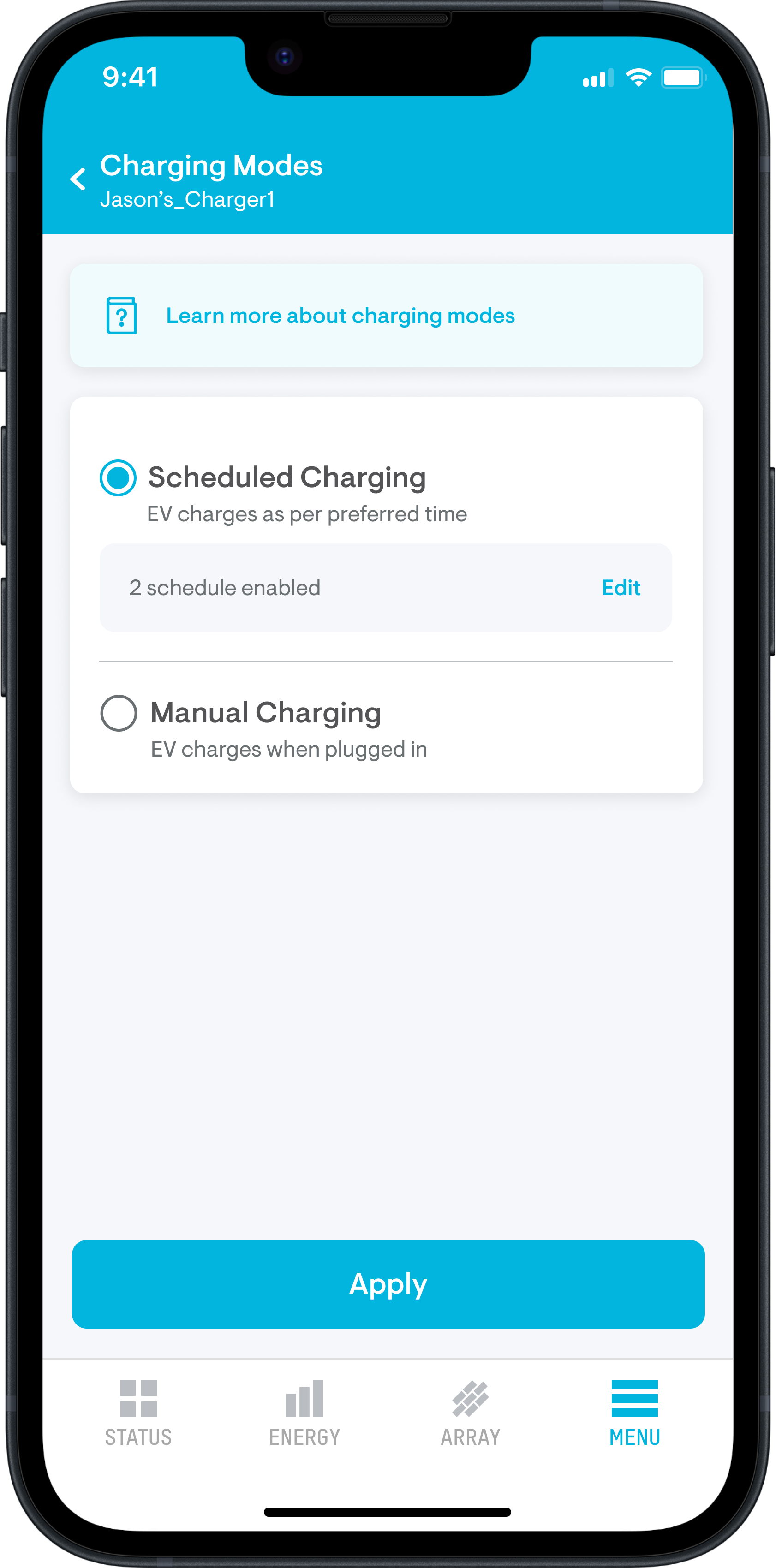
2. Manual Charging: The EV charges at 100% power whenever plugged in, using the grid.
Using the IQ EV Charger with Enphase solar and home consumption monitoring
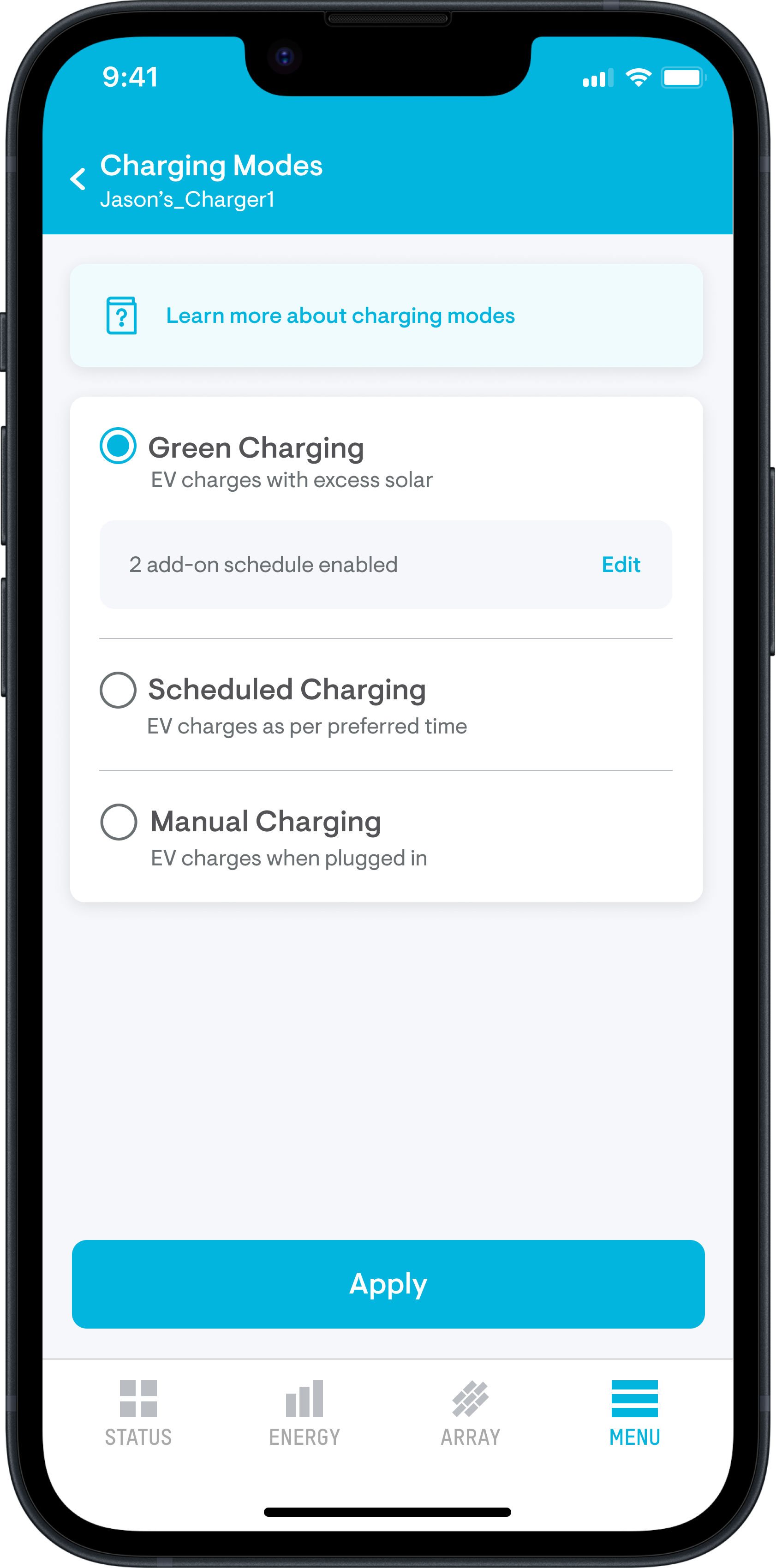
For homes where the IQ EV Charger is paired with an Enphase Energy System and a Consumption Current Transformer (CT), there are three charging options:
1. Green Charging: The system checks for surplus solar energy. If it is more than 25% of the charger’s rated capacity, the EV starts charging immediately. The charging power increases in 25% increments as more solar power becomes available.
For example, if you own an IQ 40 EV Charger, the maximum charging rate is 7.7 kW (32 A). The minimum excess solar required to initiate EV charging on this model is 25% of 7.7 kW, which is about 1.9 kW (8 A).
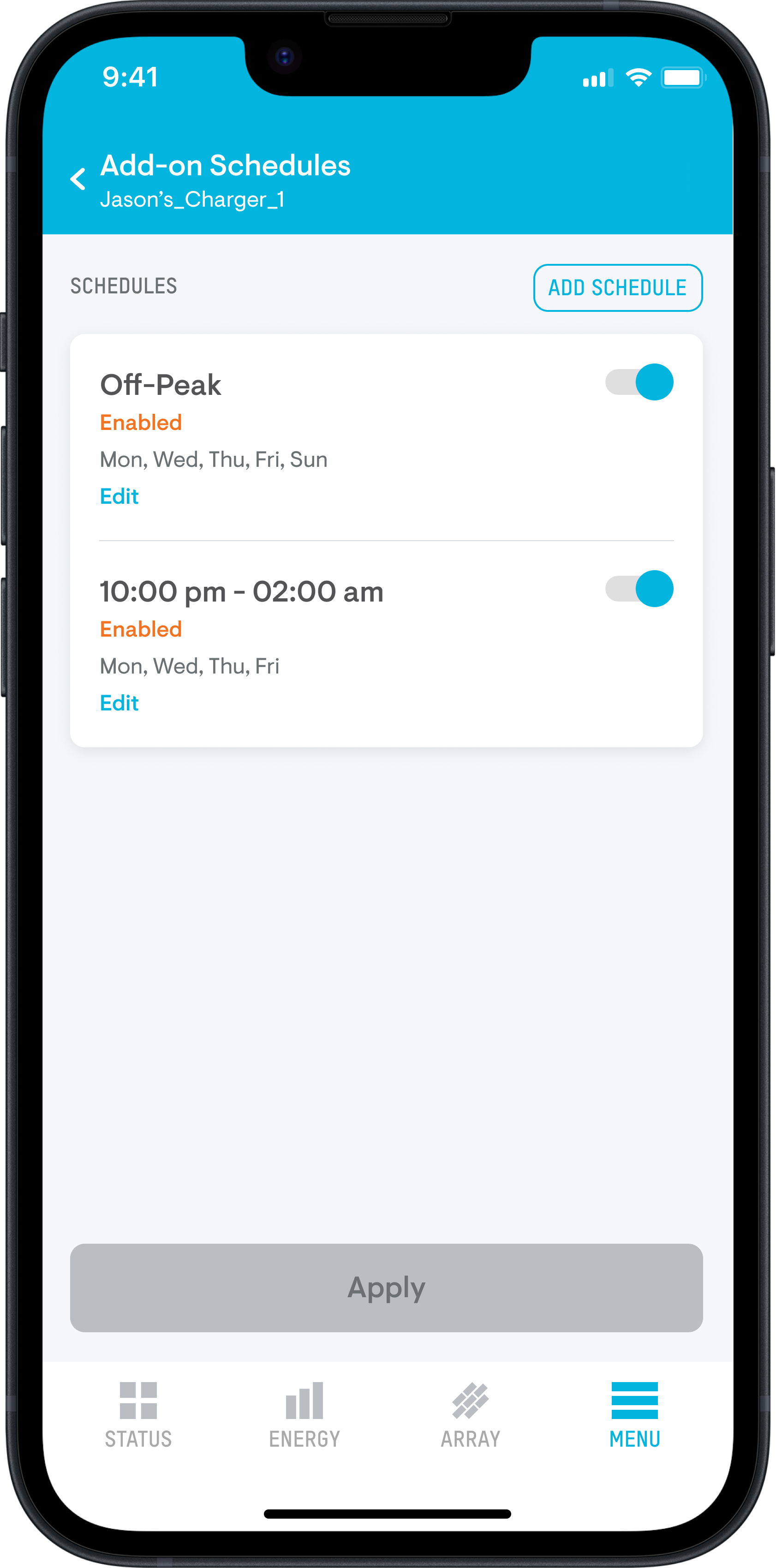
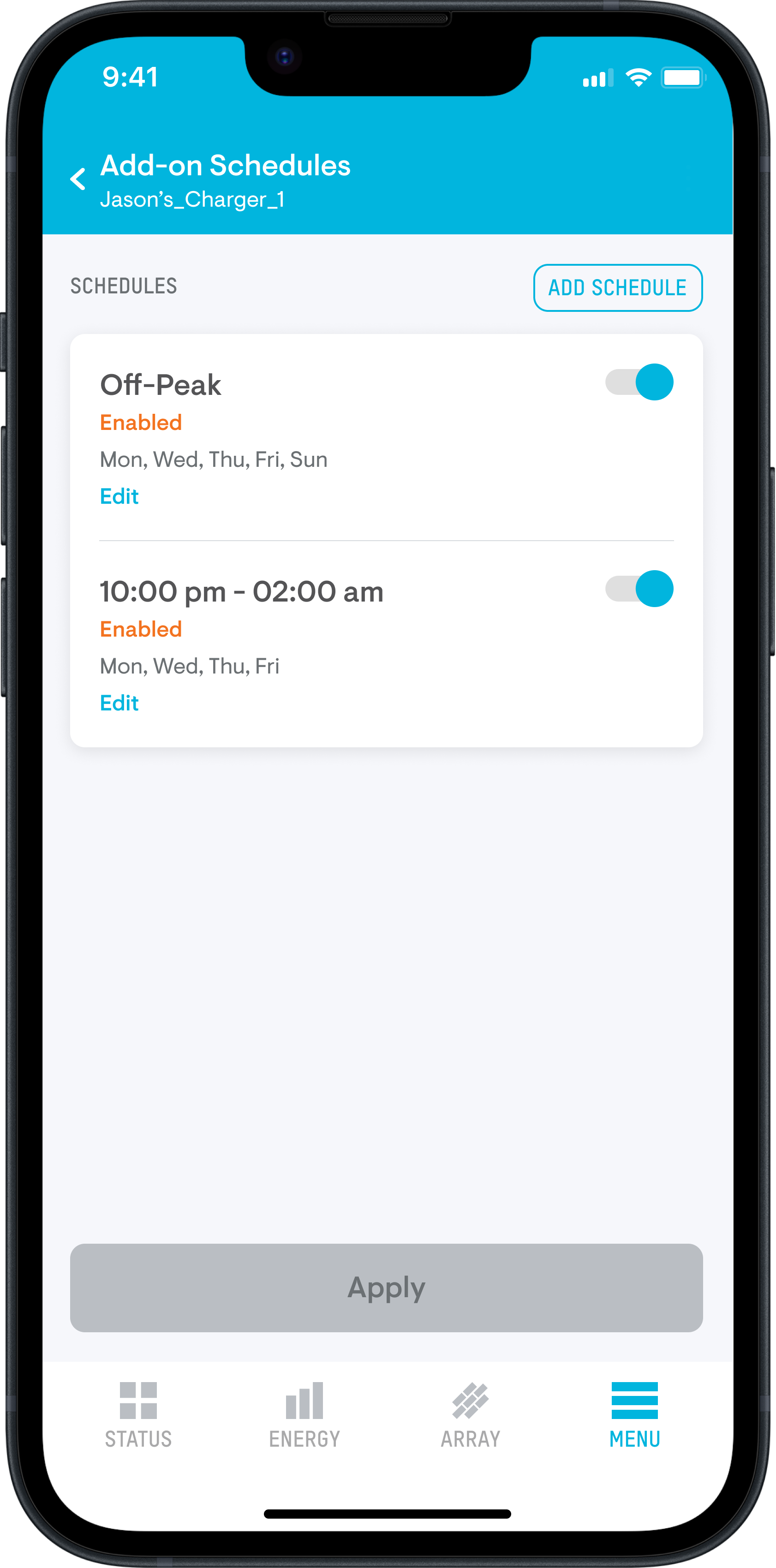
If you are unsure if your system has excess solar and want to ensure that your EV is charging, you can also set up add-on schedules. During the set schedule, your EV charges at maximum power using excess solar first, then the grid.
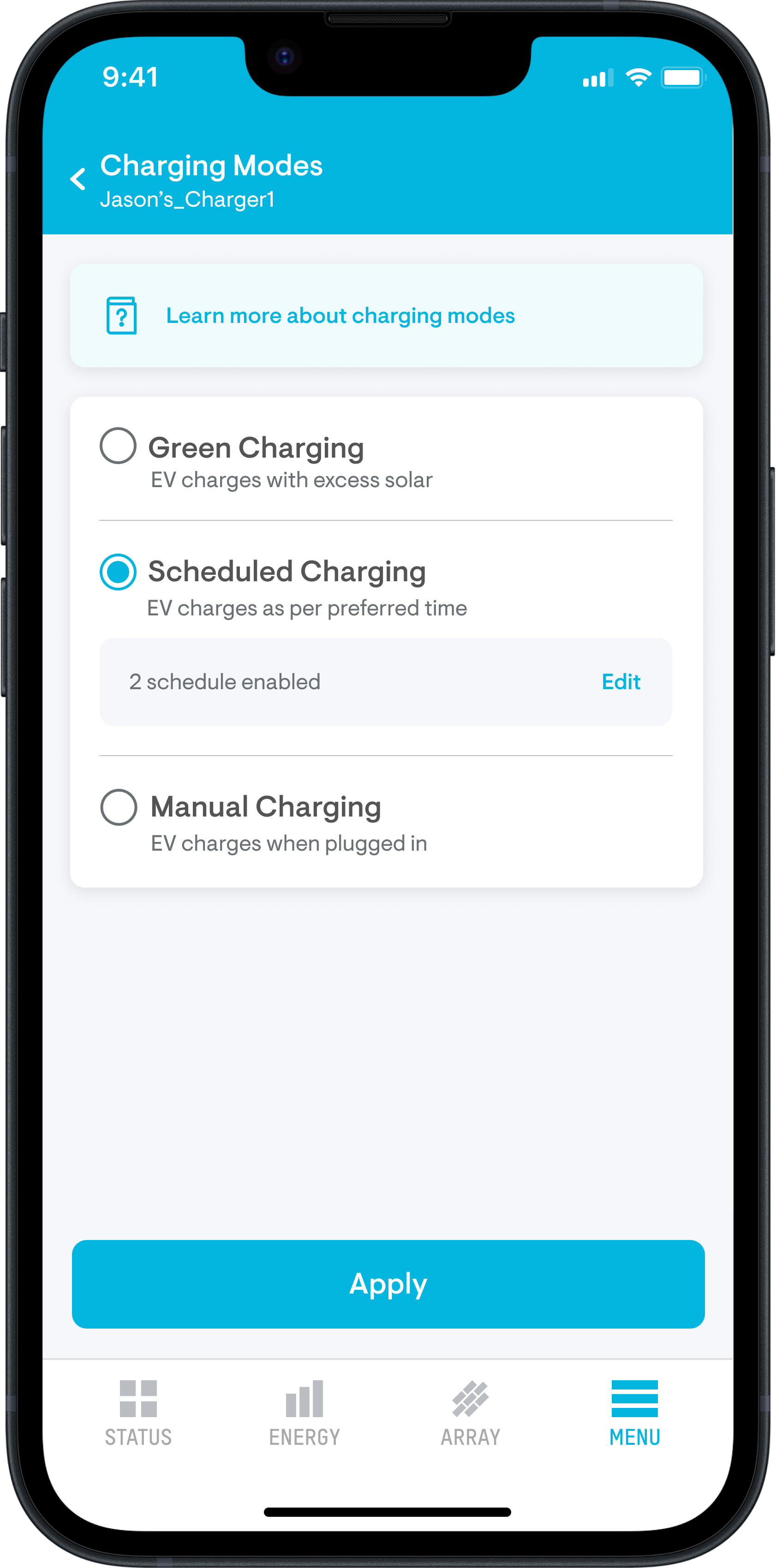
2. Scheduled Charging: Your EV charges at 100% power during the scheduled time using excess solar first (if available) followed by the grid.
3. Manual Charging: Your EV charges at 100% power whenever plugged in using excess solar first (if available) followed by the grid.
Using the IQ EV Charger with Enphase solar, home consumption monitoring, and battery
For homes where the IQ EV Charger works with an Enphase solar system, IQ Batteries, and home consumption monitoring, the EV charging varies slightly depending on your chosen profile setting. There are three options for charging modes available within each profile.
Self-Consumption profile
1. Green Charging: The system checks for surplus solar energy. If it is more than 25% of the charger’s rated capacity, the EV starts charging immediately. The charging power increases in 25% increments as more solar power becomes available. For example, if you own an IQ 40 EV Charger, the maximum charging rate is 7.7 kW (32 A). The minimum excess solar required to initiate EV charging on this model is 25% of 7.7 kW, which is about 1.9 kW (8 A).
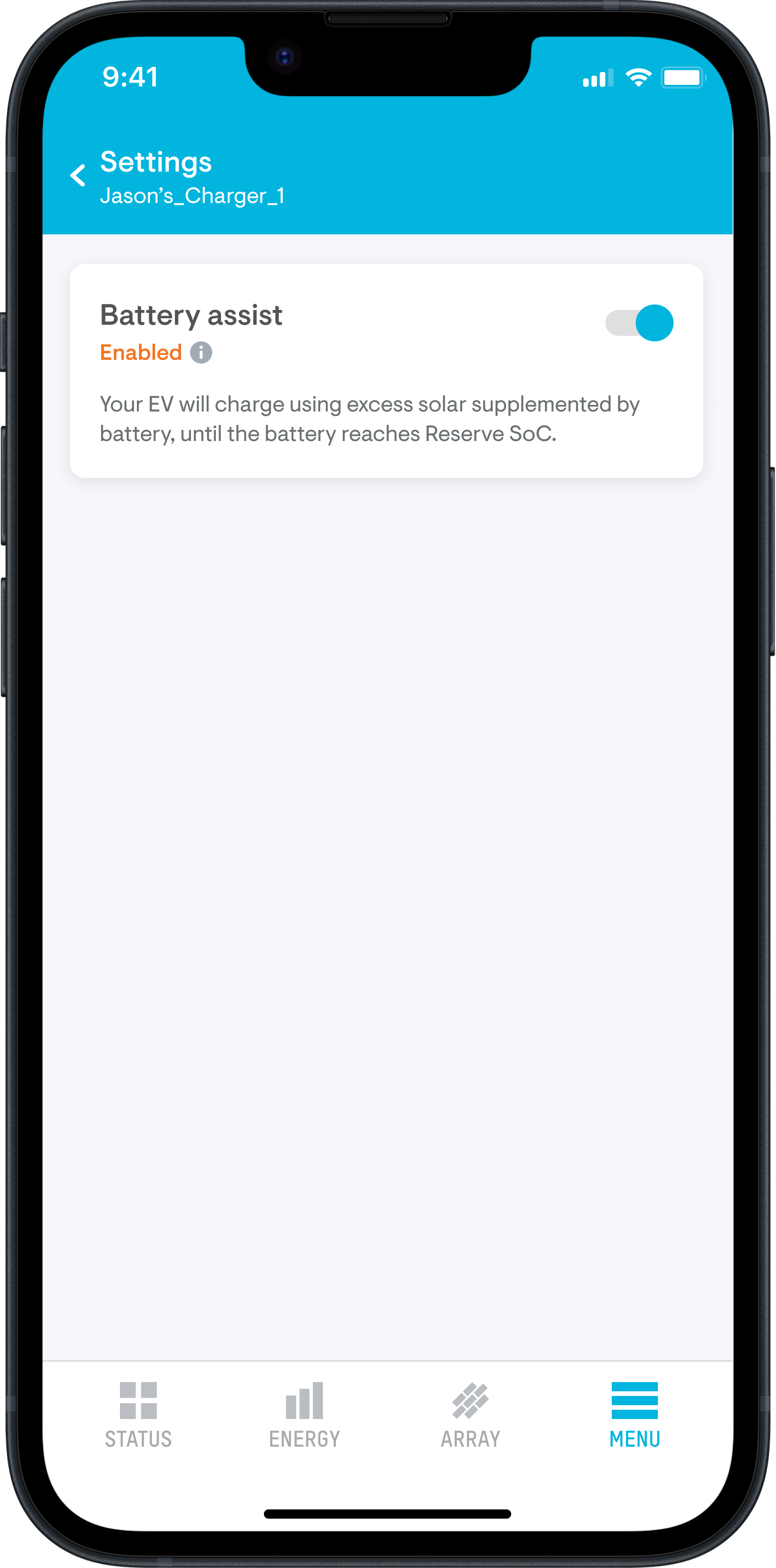
You can also enable Battery Assist in the settings. With this toggle on, the system will supplement solar with energy from your IQ Batteries so that charging can continue smoothly, until the system reaches the next 25% charging level.
If you are unsure if your system has excess solar and want to ensure that your EV charges, you can also set add-on schedules. During the set schedule, your EV will charge at maximum power, first using excess solar, followed by battery (if the toggle is enabled), and then the grid.
Note: If you’re on an NEM 3.0 plan, and your utility pays more for export than the import, excess solar power is exported to the grid instead of being used for your EV.
2. Scheduled Charging: Your EV charges at 100% power during the scheduled time using excess solar first (if available) followed by battery and then grid.
3. Manual Charging: EV charges at 100% power whenever plugged in using excess solar first (if available), followed by battery and then grid.
Savings or AI Optimization profile
1. Green Charging: The system checks for surplus solar energy and if it is more than 25% of the charger’s rated capacity, the EV starts charging immediately. The charging power increases in 25% increments as more solar power becomes available. Under this profile, EV charges only during off-peak hours to help you save more.
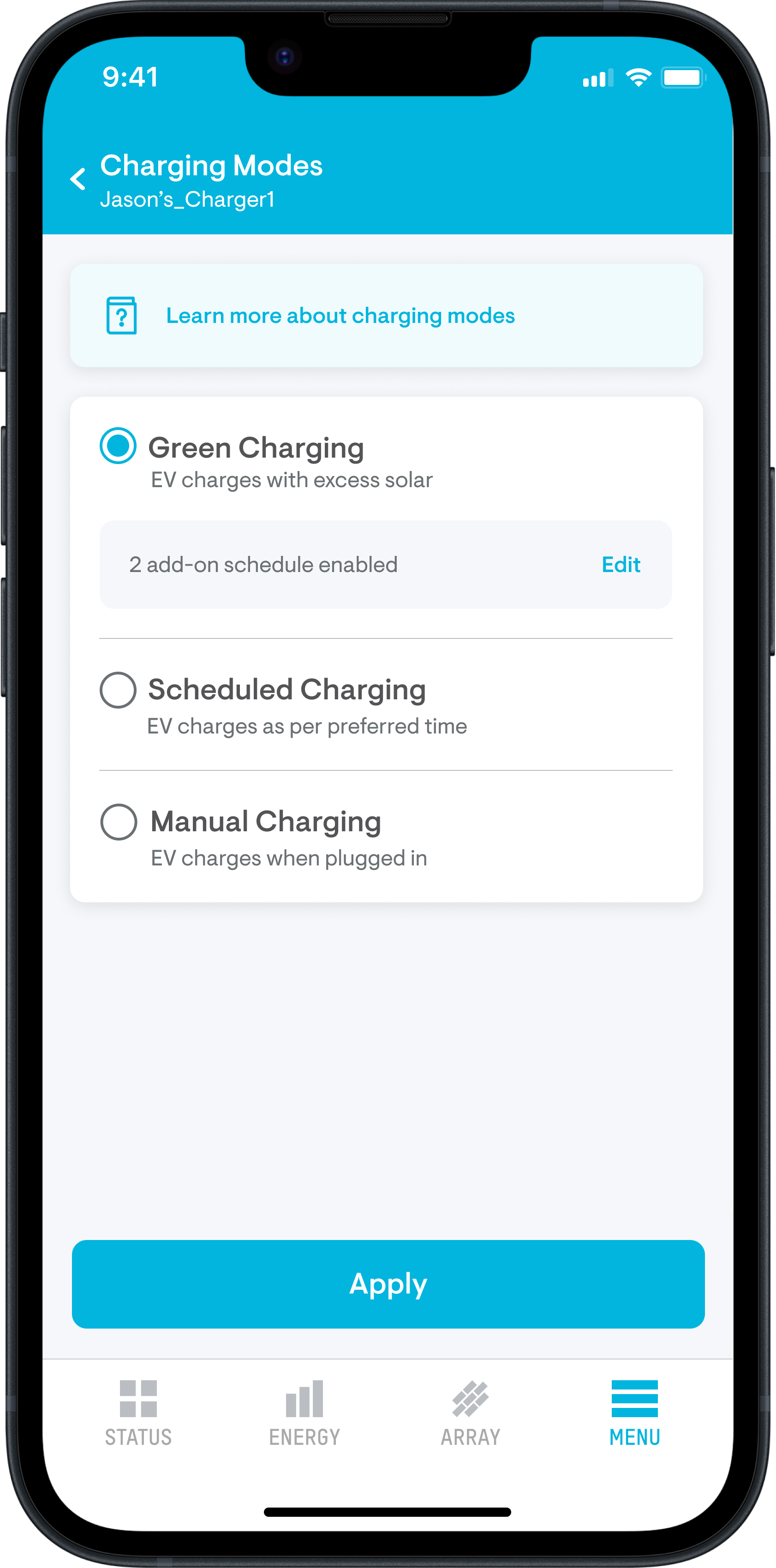
If you are unsure if your system has excess solar and want to ensure EV charging, you can also set add-on schedules. During the set schedule, your EV will charge at maximum power first using excess solar, followed by battery, and then the grid.
Note: If you’re on an NEM 3.0 plan, and your utility pays more for the export than the import, excess solar power is exported to the grid instead of being used for your EV.
2. Scheduled Charging: Your EV charges at 100% power during the scheduled time using excess solar first (if available), followed by battery and then the grid.
3. Manual Charging: Your EV charges at 100% power whenever plugged in using excess solar first (if available), followed by battery, and then the grid.
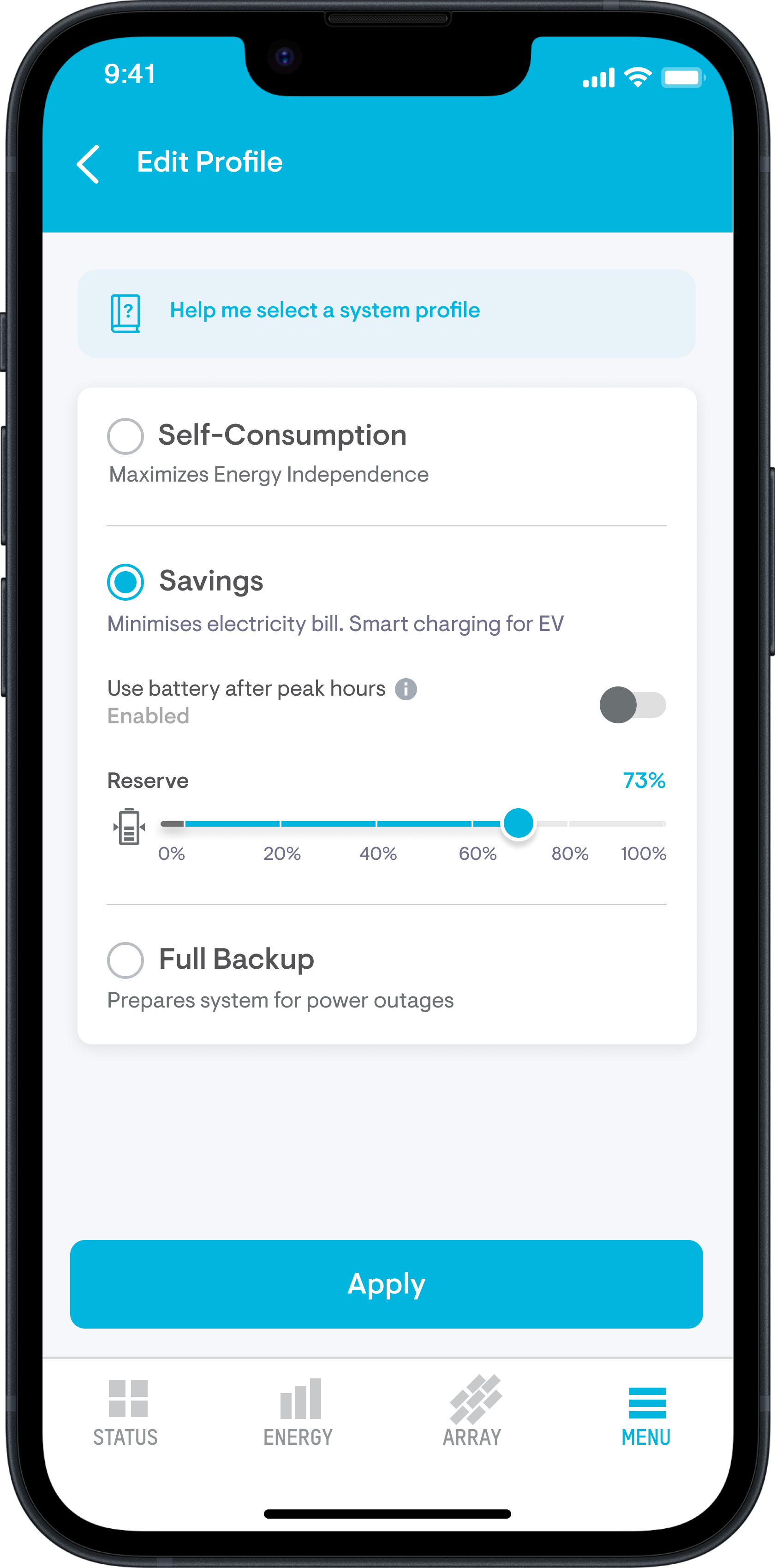
Note: The battery will be used for EV charging across all charging modes after peak hours if the Use battery after peak hours toggle is enabled. It is never used during or before peak hours.
Full Backup profile
1. Green Charging: The system checks for surplus solar energy and if it is more than 25% of the charger’s rated capacity, the EV starts charging using excess solar in 25% increments of charging power.
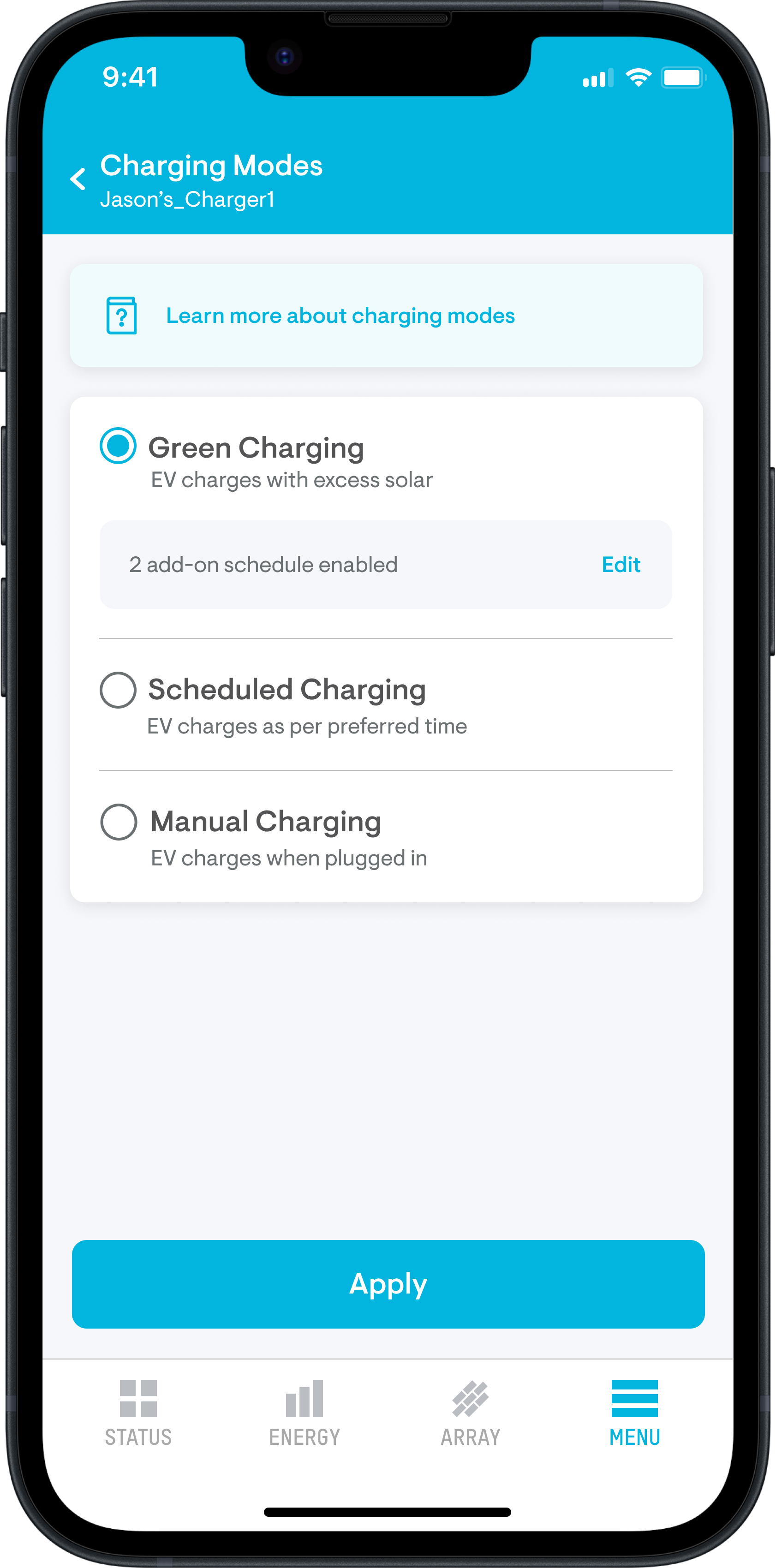
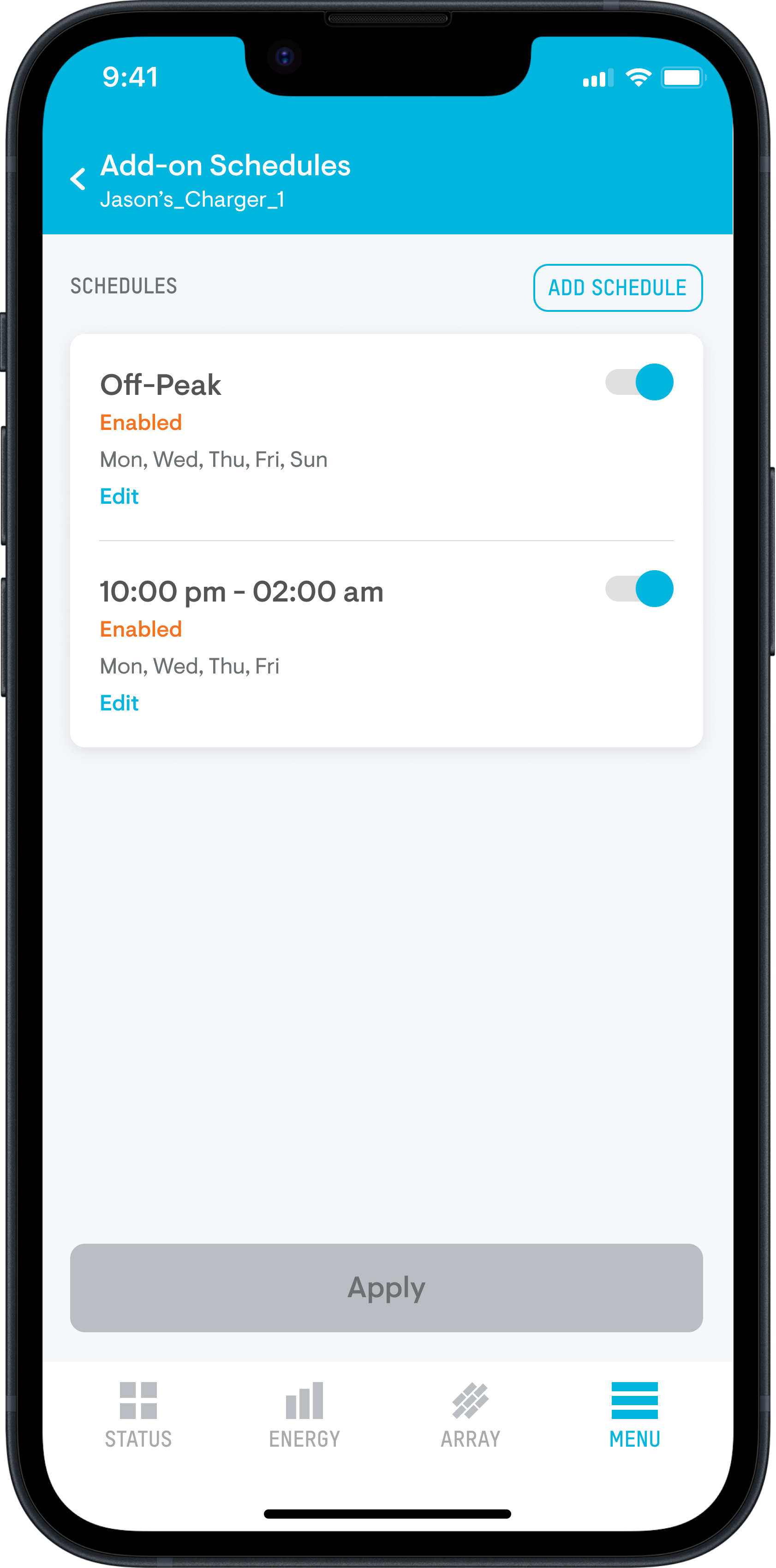
If you are unsure if your system has excess solar energy and want to ensure EV charging, you can also set add-on schedules. During the set schedule, your EV will charge at maximum power using excess solar energy, followed by the grid.
Note: For NEM 3.0 sites, if the export rate is higher than the import rate, excess solar power is exported to the grid instead of being used for EV charging.
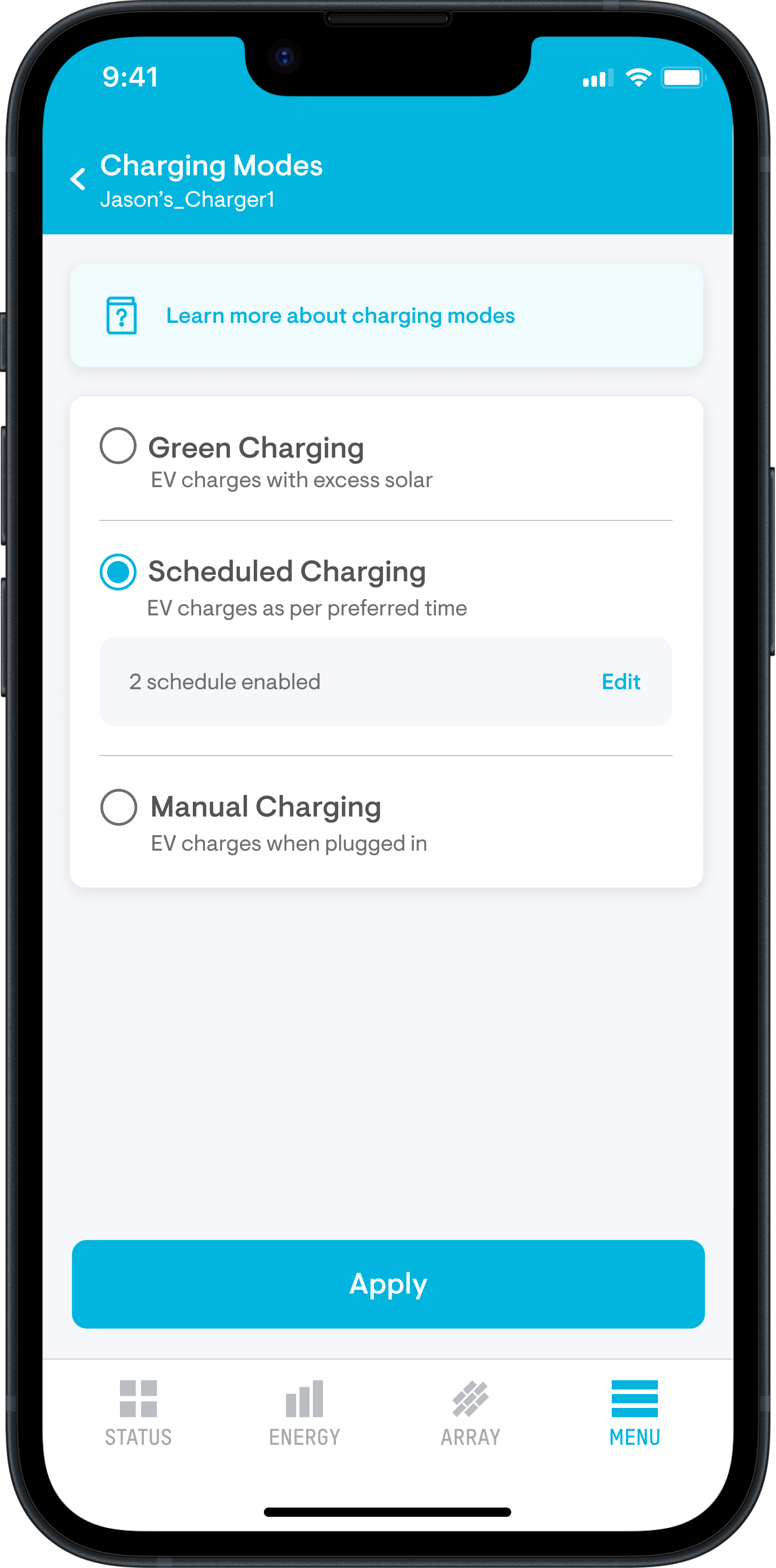
2. Scheduled Charging: Your EV charges at 100% power during the scheduled time using excess solar (if available), and then the grid.
3. Manual Charging: Your EV charges at 100% power whenever plugged in using excess solar first (if available), and then the grid.
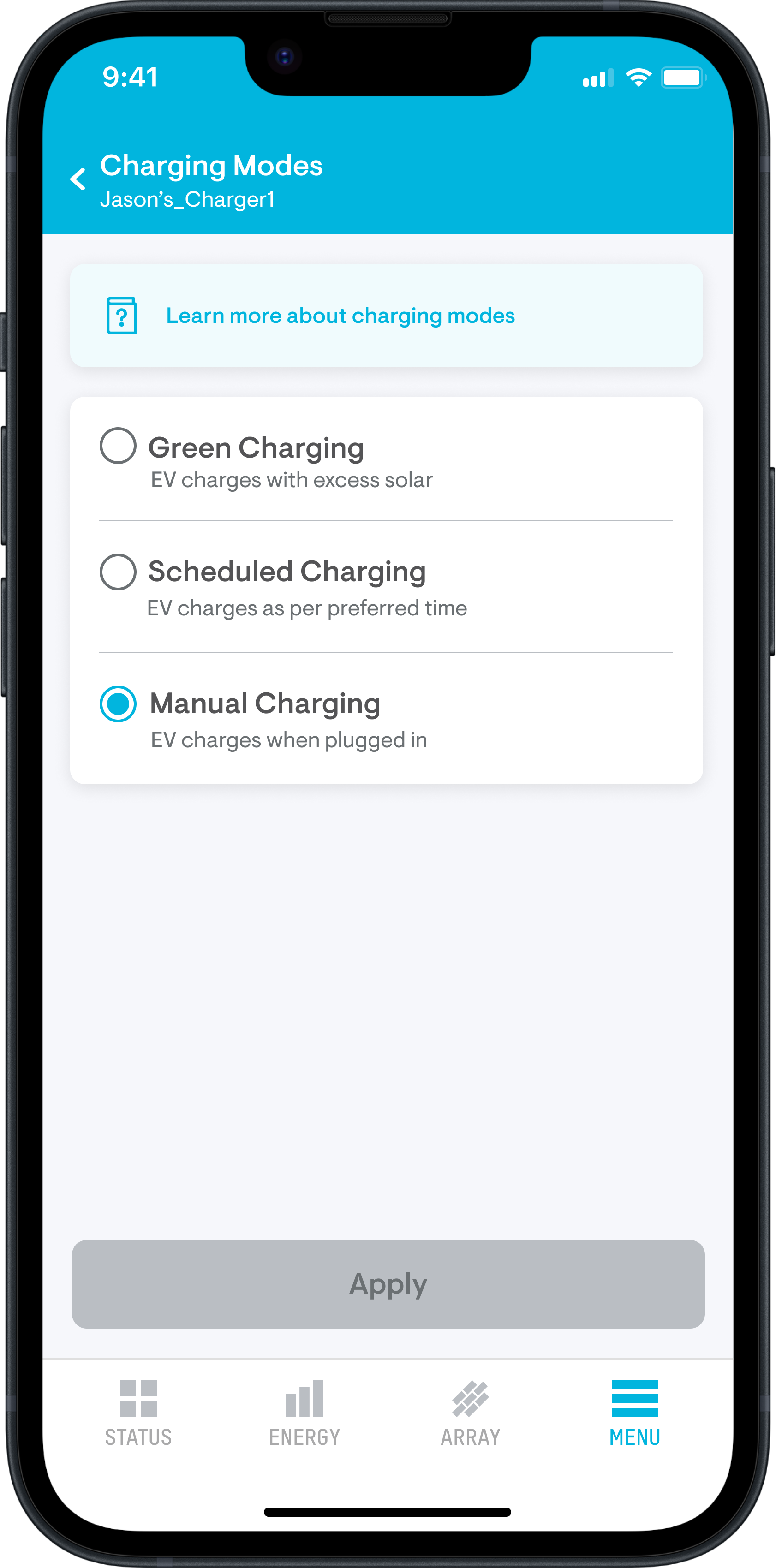
Note: The battery is never used for EV charging across all charging modes as the Full Backup profile reserves the home battery for emergency home use.
Storm Guard
With Storm Guard, your system can be set up to charge the EV at 100% power whenever a storm alert is detected. Charging automatically switches to the Manual Charging mode and the EV is charged using excess solar (if available) and grid energy. You have the option to opt out of non-critical weather alerts and continue with preset EV charging behavior.
Learn more about our safety-certified, all-weather, high-performance IQ EV Chargers.