Solar system not working? Identify and fix these common issues
Solar energy systems are built to be dependable and long-lasting. But like any complex system, they can occasionally run into problems. Knowing how to spot and resolve these issues early can help you maintain steady solar performance and avoid bigger problems down the line. This guide will walk you through the most common issues homeowners face with their solar systems and how to fix them.
How to identify if your solar system isn’t working
Before you dive into troubleshooting, it's important to know how to spot the warning signs. Here are some of the most common indicators that something might be wrong with your solar system:
- Your energy production is lower than usual, even on bright, sunny days
- Your monitoring app shows error alerts
- If you have visible solar string inverters, you may see unusual lights or warning symbols
- There’s a sudden spike in your electricity bill
Keep in mind that not all signs are conclusive. For example, higher electricity bill could just be due to a utility billing change. That’s why monitoring tools like the Enphase App are helpful. They give you real-time data, alert you to problems, and help you accurately track your system’s health.
Let’s break down the most common problems, starting with solar panel issues.
Why your solar panels may be underperforming
Solar panels convert sunlight into DC electricity. Microinverters then turn that into AC power for your home. But anything that blocks sunlight—like dust, mold, or even tree shade—can slightly affect the energy your panels produce. Periodic solar panel maintenance from solar installers and trimming nearby trees and bushes can prevent some of these problems beforehand.
If you're using an Enphase system and see a Low Solar Production alert, here’s what you can check:
- Look outside—is it cloudy or snowy? If yes, wait for conditions to clear
- Check for any tripped breakers and reset if needed
- Monitor your system for 24 hours to see if the issue resolves
Microinverter issues: What to check and how to fix
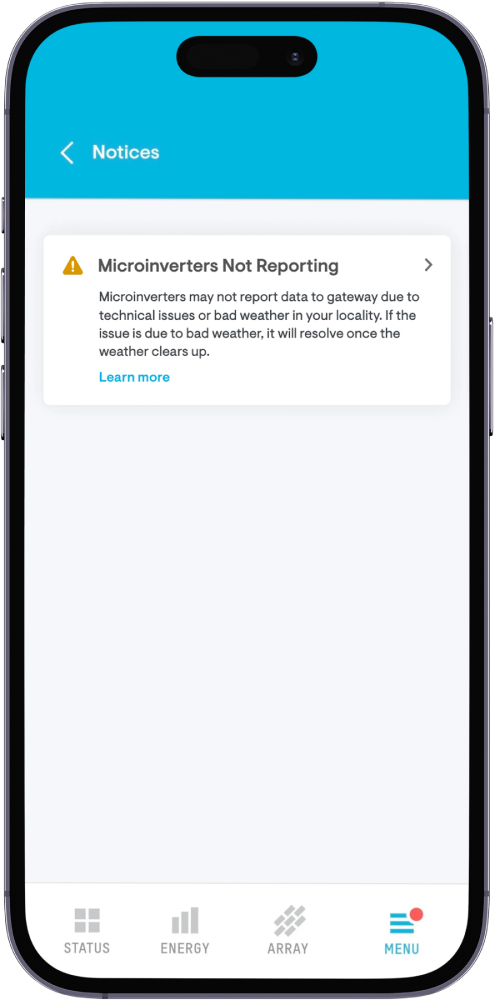
Microinverters play a key role in your solar system. They convert the DC power generated by your panels into the AC power your home uses. If you're using an Enphase system, you might see a Microinverter Not Reporting alert in the Enphase App. This doesn’t always mean the microinverter itself is faulty. Often, it’s a communication issue between the microinverter and the gateway.
Here’s what you can do:
- Check your circuit breakers to see if any have tripped
- Reset them only if you’re comfortable doing so
- Monitor the system for the next 24 hours
- If the alert persists, contact your solar support team for assistance
Wi-Fi connection problems: Check your gateway
The gateway connects your solar system to the internet so performance data can be shared with your monitoring app. For Enphase users, this is usually the IQ Gateway (Envoy S), but could also be an IQ Combiner, Envoy R, or EMU.
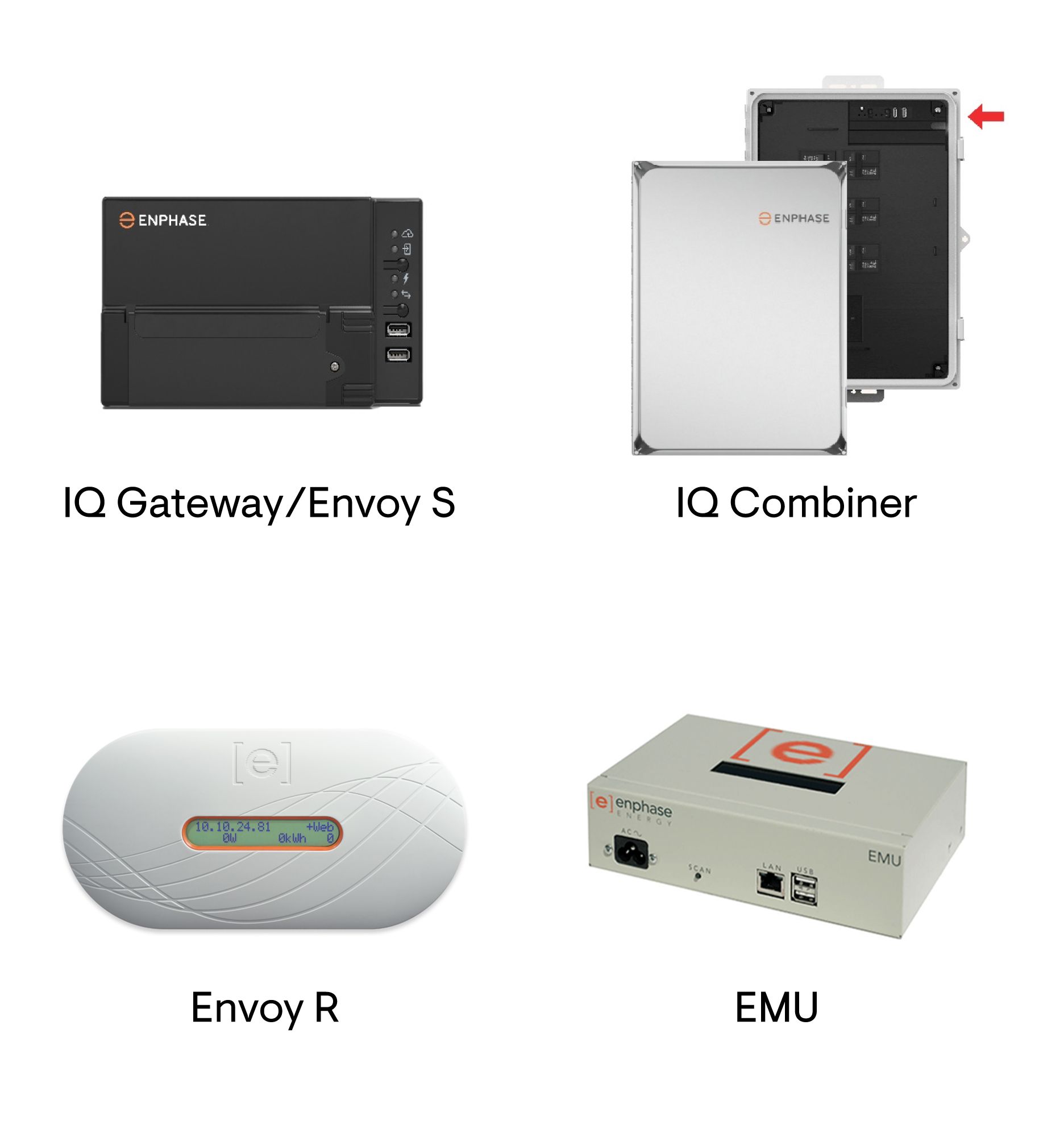
If the gateway loses connection, you’ll see a Gateway Not Reporting error in the Enphase App.
Here’s what to do:
- Locate your gateway—it’s usually near your main electrical panel
- Check if it’s still connected to the internet
- If you’ve changed your Wi-Fi name, password, or provider recently, the gateway may have lost its connection
- Follow this step-by-step guide to reconnect it
Once reconnected, the top LED on your gateway should be solid green. That means it’s back online.
Troubleshooting battery issues
Your solar battery helps you stay powered during outages and store solar energy for later use. While batteries are designed to be durable and long-lasting, their performance can be affected by external factors if not properly maintained or configured. These may include things like low or uneven charging, excess heat from poor airflow, loose wiring, aging components, shading on panels, or incorrect charge controller settings.
Most of these issues can be easily prevented with proper installation, good airflow, and regular system checks. Cleaning the terminals, inspecting connections, and monitoring voltage levels occasionally can help keep your battery running smoothly for years. If you do notice any signs of trouble, it’s always best to reach out to your solar support team.
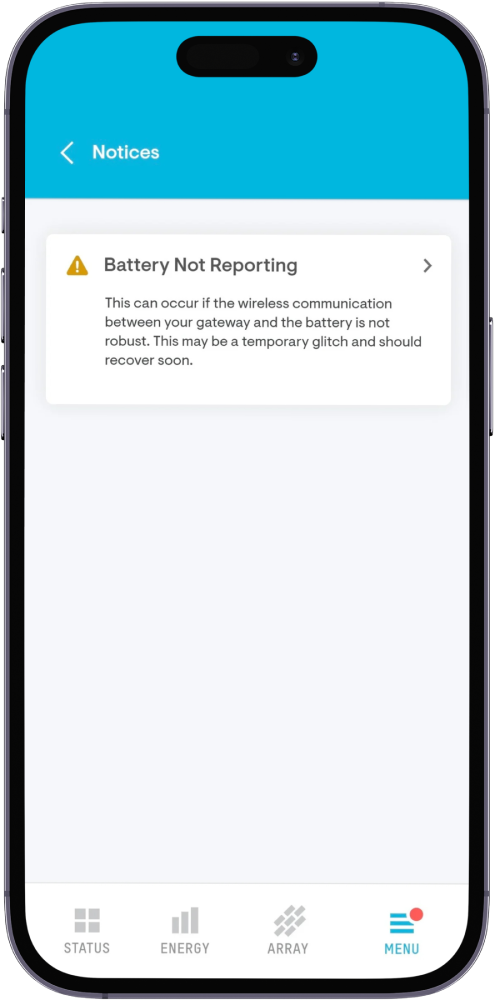
For Enphase users, a Battery Not Reporting alert means the battery has lost connection with the system.
To fix this:
- Make sure your gateway is online and connected to the internet
- If the IQ Battery has disconnected, give it up to 15 minutes to self-diagnose and reconnect
- Check if the battery charge is above 5%—if not, it may take up to 24 hours to come back online
If the battery still doesn’t perform as expected, contact your solar support team.
Get professional support
If none of the troubleshooting steps resolve your issue after 48 hours, or if you notice any visible damage to your microinverters, battery, or gateway—it’s time to call your Enphase installer. When safety or electrical components are involved, it’s always better to call a certified professional.
Get ongoing support with Enphase Care
If you want additional peace of mind beyond basic troubleshooting and installer support, Enphase Care offers a complete service plan for your solar system. It includes expert diagnostics, priority support, and 0$ onsite service for covered issues—so you get reliable help from trained professionals with no surprise costs.
Solar troubleshooting FAQs
Check for dirt, cracks, or loose wires. Clean the panels with a soft cloth and distilled water. If your inverter is accessible, check for lights and try rebooting it. You can also tighten safe-to-access connections but leave complex repairs to certified professionals.
Always refer to your solar system’s user manual or contact your installer for the correct reset procedure. Here’s a general reset procedure for most solar systems:
- Turn off the inverter using its AC/DC toggle
- Switch off the solar disconnect and main solar breaker
- Wait 30–60 seconds
- Turn the breaker and disconnect back on in reverse order
- Turn the inverter back on and wait 5–15 minutes
For Enphase Energy Systems, this short video will help to illustrate the reset process more clearly.
Yes, grid-connected solar systems work without a battery. During the day, your home uses solar power first and draws from the grid when needed. Just note that without a battery, your system will shut off during outages for safety. Adding battery backup lets you keep essential appliances running even when the grid is down.
No. Solar panels need sunlight to generate electricity. Moonlight or artificial light produces very little and not enough to power anything. For nighttime use, you’ll need a battery storage system.