Getting started with the Enphase App

Your Enphase App is the heart of your system. It’s where you’ll see your solar working, track your energy, and get updates.

Create your Enphase Account

Once your system installation is verified, you’ll get an email from your installer or Enphase with a link to activate your account. Click the link to register and activate your Enphase Account. You can now use these credentials to log in to the Enphase App to monitor, or to sign in to other Enphase portals. 

Download the Enphase App

One of the key advantages of choosing Enphase is how easily you can monitor your system from anywhere using the Enphase App. With Enphase App, you can conveniently track your system’s performance, know about your system in detail, get system updates, contact Enphase support and more. 

App icon as present in Apple and Android stores


Download from Apple Store or Google Play App store Google play store

Download and login using your registered credentials (during the time of activation) to start using your Enphase App from your mobile device, anywhere, anytime.

You can also access your Enphase App from your web browser. Simply navigate to https://enlighten.enphaseenergy.com/web and sign in with your registered credentials. 

Explore the Enphase App

The Enphase App is your central hub for monitoring and managing your Enphase Energy System. Whether you want to track how much solar energy your home is generating, check your system’s health, or better understand your overall energy usage, the app brings everything together in one simple, easy-to-use interface.

It gives a clear view of your system’s performance and gives you the tools to stay informed and in control—anytime, anywhere.  

Watch this video to understand how you can use the app:

If you are a PV-only system owner, you can watch this short video:

Find site information

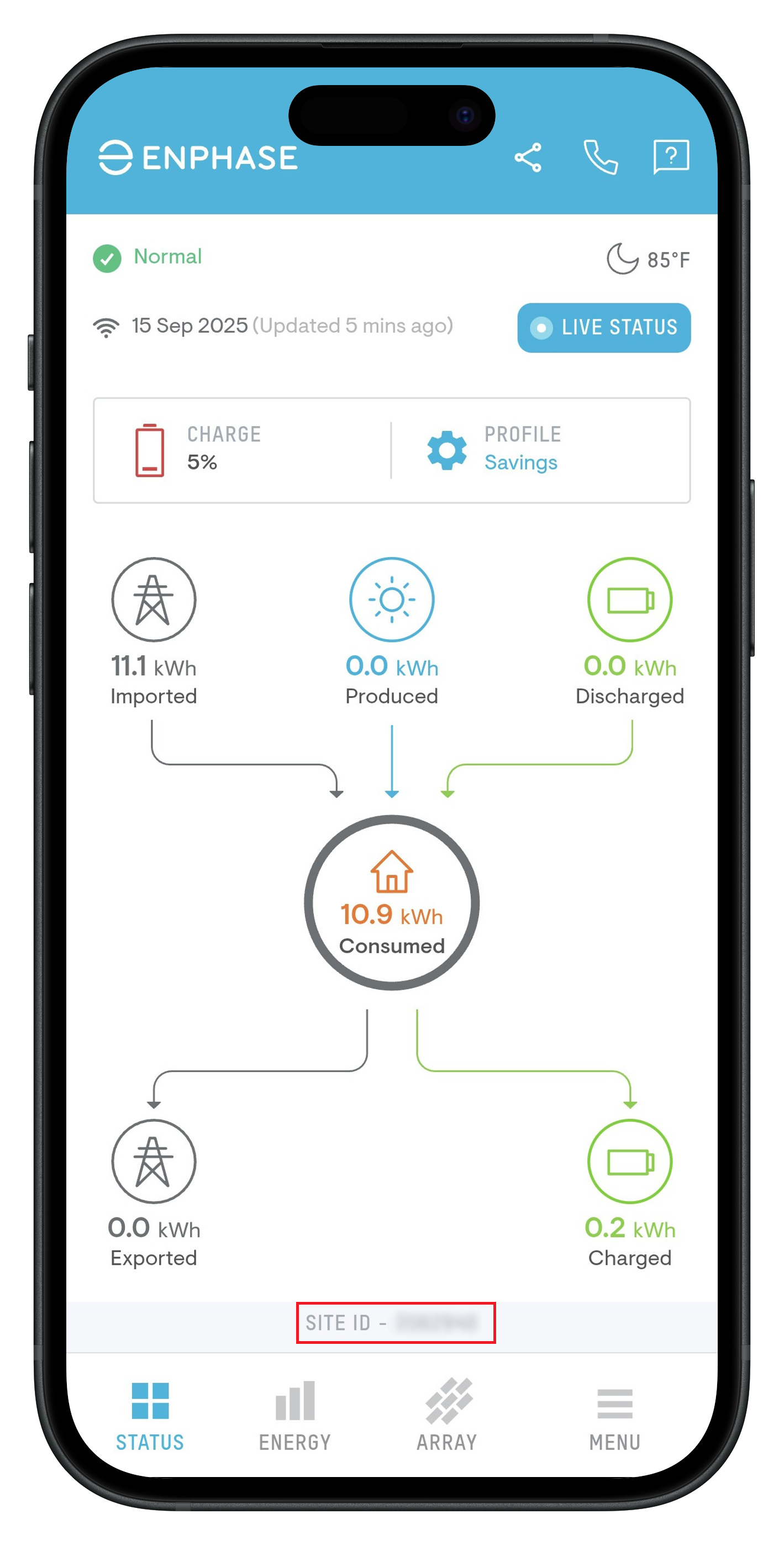
The Site ID or System ID is a unique identifier for your solar system and is essential when contacting your installer or Enphase Support for any queries. To find it, simply open your Enphase App and scroll down to the bottom of the screen.

The Site ID or System ID

For more information about the site like installation address, type of connection with Enphase Cloud, or installer information, navigate to Menu > System > Site Details.